
WP Engine vs Kinsta 2026: Which Managed WordPress Host Is Best?
The choice between the two giants is not determined only by such factors as the cost per month or the allocated storage. Two quality managed WordPress hosting services, WP Engine and Kinsta offer a slightly different approach to maintaining and caring for the CMS.
However, choosing between WP Engine and Kinsta is not so simple for someone who wants to get the best option for WordPress hosting in 2026. The main difference lies in the way of thinking about infrastructure, performance, development tools, and growth opportunities for the business.
That is why, before buying any of the two, it might be helpful to review the details and distinctions between WP Engine and Kinsta. We will also discuss the benefits and features of both managed WordPress hosting services.
WP Engine vs Kinsta 2026: At a Glance
WP Engine vs Kinsta
Enterprise WordPress hosting comparison
| Feature | WP Engine | Kinsta | Winner |
|---|---|---|---|
| Best For | Agencies, enterprise websites, growing businesses | Developers, SaaS, content-heavy sites, WooCommerce | Use case |
| Infrastructure | Multi-cloud with proprietary EverCache® | Google Cloud Platform Premium Tier | Tie |
| Performance | Excellent, optimized for WordPress at scale | Excellent, powered by Google Cloud C2/C3 | Tie |
| CDN | Global CDN included | Cloudflare Enterprise CDN included | Kinsta |
| Security | Enterprise firewall, malware protection | Cloudflare Enterprise, DDoS, WAF | Tie |
| Developer Tools | Git, SSH, staging, local dev, advanced workflows | Git, SSH, staging, DevKinsta, APM | Tie |
| WooCommerce | Excellent | Excellent | Tie |
| Customer Support | WordPress specialists 24/7 | WordPress experts 24/7 | Tie |
| Scalability | Outstanding for enterprise traffic | Excellent for growing businesses | WP Engine |
| Dashboard | User Portal | MyKinsta | Kinsta |
| Beginner Friendly | Very Good | Excellent | Kinsta |
| Agency Features | Advanced collaboration, multi-site management | Strong collaboration tools | WP Engine |
| Starting Price | Premium | Premium | Budget |
Quick Verdict
If you are an agency with dozens of client websites or an enterprise company expecting thousands of visitors, WP Engine is an excellent choice for its enterprise-grade scalability. If you want a modern dashboard, Google Cloud infrastructure, and Cloudflare Enterprise-level features, Kinsta is the way to go.
Color guide: Green = Kinsta wins · Purple = WP Engine wins · Gray = Tie
Quick Answer
WP Engine vs Kinsta 2026 is a tight race, but your requirements will dictate which one is right for you. Choose WP Engine if you need enterprise-level features, advanced support, and want to scale your agency or business. Choose Kinsta if you want Google Cloud, a streamlined dashboard, Cloudflare Enterprise, and an excellent developer experience.
WP Engine and Kinsta are both excellent managed WordPress hosting providers. They both offer great performance, security, and reliability. There’s no clear winner, but it all depends on what you need.
Why This Comparison Matters in 2026
The managed WordPress hosting space has changed dramatically in the last few years.
Speed is no longer the differentiator because most premium hosting providers offer excellent performance.
The real difference is in their ability to handle
- AI search,
- Core Web Vitals,
- traffic spikes,
- security,
- developer experience,
- global delivery,
- long-term costs.
Search engines, AI assistants, and users all demand blazing-fast websites that don’t slow down when thousands of people visit at once.
A reliable hosting provider is essential to any business that wants to rank on search engines and offer an excellent user experience.
It’s also vital for businesses with an international presence, such as companies doing business in the USA, UK, Canada, and Australia.
Understanding Managed WordPress Hosting
Before we begin comparing the two services, it’s crucial to understand what managed WordPress hosting is.
It’s a type of hosting that offers optimized WordPress hosting with features like automatic updates, daily backups, enhanced security, performance optimization, and expert WordPress support.
It’s different from traditional WordPress hosting in that the technical aspects of the server are abstracted away so that you don’t have to worry about them. Instead, the managed WordPress hosting provider takes care of most technical aspects for you.
This is especially useful for websites with high traffic or complex requirements such as additional plugins or eCommerce.
WP Engine Overview
WP Engine is a premium WordPress hosting provider that offers enterprise-level performance, security, and support. It doesn’t compete on price since it targets businesses that need to avoid downtime at all costs.
It serves agencies, publishers, SaaS companies, universities, and enterprises worldwide.
WP Engine has several features that set it apart from the competition, including
- EverCache,
- enterprise-grade security,
- developer tools,
- performance optimization,
- a premium support team.
It also has excellent agency tools and WordPress ecosystem support.
WP Engine is all about minimizing the operational overhead for its customers while providing enterprise-grade reliability and performance.
Kinsta Overview
Unlike most other managed WordPress hosting providers, Kinsta doesn’t have its own infrastructure. It runs its WordPress hosting solution on Google Cloud Platform’s Premium Tier network. It has its own optimizations on top of Google Cloud’s power, making it a popular choice for developers, agencies, SaaS companies, WooCommerce stores, and publishers.
Some of the most popular features include
- Google Cloud infrastructure,
- MyKinsta dashboard,
- Cloudflare Enterprise,
- uptime, and
- speed.
It has excellent developer tools and a fantastic dashboard that makes it easy to use.
Most developers appreciate that Kinsta requires less technical expertise while offering greater flexibility and control.
Infrastructure Comparison
Infrastructure is often the most critical difference between two hosting providers. It’s also one of the most difficult to understand.
Many hosting reviews will mention that a provider has a powerful infrastructure, but it doesn’t say what that means.
Let’s look at the differences between WP Engine and Kinsta.
WP Engine Infrastructure
WP Engine has a proprietary infrastructure that’s been specifically optimized for WordPress.
It has a number of powerful features, including
- EverCache,
- advanced caching,
- containers,
- global data centers,
- automatic scaling,
- high availability.
It has many optimizations in place to make sure that websites on its platform perform as well as possible.
EverCache is one of its most powerful tools and is available to all customers. It reduces the number of PHP executions by serving cached HTML directly to the user.
This dramatically reduces the load on the server and allows websites to handle more traffic than they otherwise would.
This is especially useful for large-scale marketing campaigns and viral content.
Kinsta Infrastructure
As mentioned above, Kinsta doesn’t have its own infrastructure. It runs on Google Cloud Platform’s Premium Tier network. It has a number of optimizations on top of Google Cloud’s infrastructure, such as
- C2 and C3 instances,
- containers,
- automatic scaling,
- isolation.
It runs each WordPress site in a container, which offers better performance and security than traditional shared hosting.
It also has excellent uptime and performance, which is crucial for businesses that can’t afford downtime.
Which Infrastructure is Better?
There is no clear winner when it comes to infrastructure in WP Engine vs Kinsta 2026. If you want Google Cloud’s power and flexibility, Kinsta is the better option. If you need something more optimized for WordPress, WP Engine has a slight edge.
Both infrastructures are powerful enough to handle most tasks, but the real difference in WP Engine vs Kinsta 2026 is in the optimizations. WP Engine has more built-in optimizations for WordPress, while Kinsta offers more flexibility by running on Google Cloud.
From an SEO perspective, both are excellent in the WP Engine vs Kinsta 2026 comparison, but it ultimately comes down to your specific needs.
Performance and Speed Comparison
Performance is one of the main reasons businesses choose managed WordPress hosting. It’s not enough to simply have a fast website; you need to be able to handle traffic spikes without slowing down or crashing.
There are several factors that contribute to performance, including
- server response time,
- caching,
- database optimization,
- CDN,
- PHP processing,
- image optimization.
Both WP Engine and Kinsta have excellent performance, but they have different strengths and weaknesses.
In the next section, we’ll look at how the two platforms compare in terms of
- caching,
- Core Web Vitals,
- PHP workers,
- WooCommerce performance,
- traffic spikes.
Performance Benchmarks: Looking Beyond Page Speed
When most people think about performance, they think about how fast a website’s homepage loads. However, there are many other metrics that are more important to businesses, such as
- Time to First Byte (TTFB),
- Largest Contentful Paint (LCP),
- Interaction to Next Paint (INP),
- Cumulative Layout Shift (CLS).
A website that loads quickly for ten people but slows down dramatically when more people visit at once isn’t particularly fast or reliable. This is where premium WordPress hosting comes in since it’s much better at handling traffic spikes than shared or budget hosting.
Caching Technology Comparison
Caching is one of the most important aspects of website performance. It allows websites to serve cached pages to visitors almost instantly instead of having to generate them from scratch for every request.
Let’s look at how WP Engine and Kinsta compare.
WP Engine EverCache
WP Engine has a proprietary caching system called EverCache. It has a number of optimizations that make it much faster and more efficient than traditional caching methods. It reduces the number of PHP executions by serving cached HTML directly to the user. It also has optimizations in place to handle large traffic spikes.
EverCache is available to all customers and is especially useful for
- viral content,
- enterprise-level marketing campaigns,
- membership websites,
- news publishers,
- large-scale corporate websites.
WP Engine’s caching system is much more involved than most other systems, but most of the hard work is done for you since it’s all handled automatically. You don’t have to do anything special to take advantage of its optimizations.
Kinsta Edge Caching
Kinsta has excellent caching that works in conjunction with
Cloudflare Enterprise.
It has a number of optimizations, including
edge caching,
which stores cached content on servers around the world.
This reduces latency and improves performance, especially for international visitors.
It also helps with large traffic spikes by distributing the load across multiple servers.
Edge caching is especially useful for businesses with an international presence since it reduces latency for visitors in different regions.
It’s also much better at handling large traffic increases than traditional caching methods.
Core Web Vitals Impact
Google has been pushing for faster websites for a while now, and they’ve introduced a number of metrics that are used to determine a website’s performance. They’re known as Core Web Vitals, and they’re divided into four categories:
- Time to First Byte (TTFB),
- Largest Contentful Paint (LCP),
- Interaction to Next Paint (INP),
- Cumulative Layout Shift (CLS).
They’re all essential to a positive user experience, but they’re also vital for SEO since Google uses them to determine how well a website performs.
Time to First Byte (TTFB)
TTFB measures how long it takes for a server to begin sending a response to a request. It’s one of the most important metrics since it affects everything else.
Most premium WordPress hosting providers have excellent TTFB, but it can vary depending on the server, location, and other factors.
Largest Contentful Paint (LCP)
LCP measures how long it takes for the largest element on a page to become visible. It’s a good indicator of overall performance since it takes into account server response time, CDN performance, caching, and other factors.
Interaction to Next Paint (INP)
INP is a relatively new metric that’s used to measure responsiveness. It’s similar to First Input Delay but is more accurate.
Cumulative Layout Shift (CLS)
CLS measures how much a page’s layout shifts during loading. It’s an important metric since it can affect the user experience, especially on mobile devices.
Speed During Traffic Spikes
One of the main advantages of premium WordPress hosting is the ability to handle traffic spikes. Most shared or budget WordPress hosting providers aren’t designed to handle sudden increases in traffic, which means websites can slow down dramatically or even crash.
This is especially problematic for businesses that rely on content marketing or SEO to generate traffic, such as bloggers, publishers, and online stores.
WP Engine and Kinsta are both excellent at handling traffic spikes, but they have different approaches.
WP Engine Traffic Spikes
WP Engine is known for its excellent performance and reliability, even during traffic spikes. It has a number of optimizations in place to ensure that websites on its platform remain fast and responsive, even when traffic increases dramatically.
This makes it an excellent choice for
- enterprises,
- publishers,
- agencies,
- WooCommerce stores.
Kinsta Traffic Spikes
Kinsta has a similar offering to WP Engine, but it has some advantages over its competitors when it comes to traffic spikes. It has Google Cloud’s infrastructure, which is more flexible and scalable than most other hosting providers’ infrastructure. It also has optimizations in place to handle large traffic increases automatically.
Developer Experience Comparison
Developers spend a lot of time on their websites, so it’s crucial that they have a positive experience. This includes things like
- easy deployment,
- staging environments,
- backups,
- debugging tools.
WP Engine and Kinsta both have excellent developer experiences, but they have different strengths and weaknesses.
WP Engine Developer Experience
WP Engine has a number of features that are specifically designed for developers, such as
- Git integration,
- SSH access,
- staging environments,
- development environments,
- production environments,
- local development,
- transferable installs.
These features make it much easier to work with WordPress, especially for agencies that have to manage multiple client websites.
Kinsta Developer Experience
Kinsta has an equally impressive set of developer tools, including
- DevKinsta,
- SSH access,
- Git integration,
- WP-CLI,
- staging environments,
- APM,
- site cloning,
- easy rollback.
It has a fantastic dashboard called MyKinsta that makes it easy to manage your websites. It has a lot of powerful features, but they’re all well-organized and easy to use. Developers can accomplish most tasks without having to dig through menus or options.
Which Platform Is Better for Developers?
It depends on the workflows.
Developers who want to focus on the frontend will be happier with Kinsta.
Agencies that need to manage hundreds of projects will choose WP Engine for its collaborative ecosystem.
Both platforms are great for building WordPress-based applications.
WooCommerce Performance
WooCommerce-based projects have unique requirements.
Unlike standard blogs and CMS websites, online stores require a lot of dynamic requests for:
- Shopping carts
- Checkout pages
- Accounts
- Inventory
- Recommendations
These pages cannot be cached, which is why hosting becomes even more important.
WP Engine WooCommerce Hosting
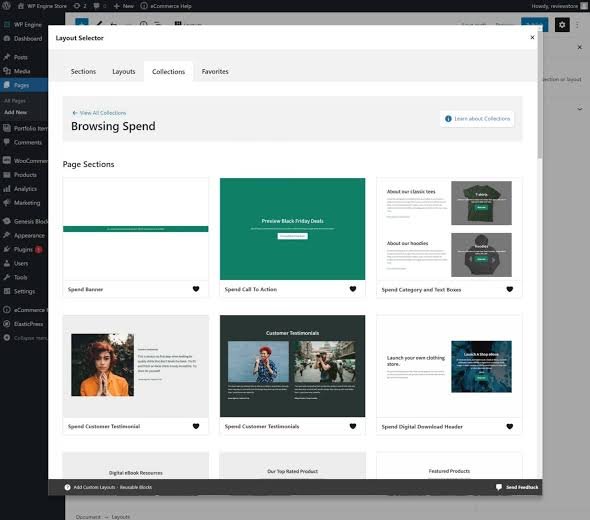
WP Engine has several optimizations to keep your online store fast and secure.
The main benefits include:
- Fast uncached response
- Reliable checkout
- Excellent DB performance
- Enterprise-grade scalability
- Strong security
Large-scale projects will appreciate WP Engine’s ability to keep the website fast during sales and promotions.
Kinsta WooCommerce Hosting
Kinsta is also a great platform for building online stores.
Google Cloud infrastructure helps process more database queries and checkout requests.
The combination of Google Cloud and Cloudflare Enterprise ensures that international customers have the best user experience.
PHP Workers Explained
The number of PHP workers is one of the most misunderstood concepts in web hosting.
It has a direct impact on your website’s performance.
PHP workers are required to process dynamic requests that cannot be cached.
The most common examples include:
- Checkout pages
- User dashboards
- Membership systems
- Learning management systems
- Custom dashboards
- API endpoints
If all PHP workers are busy, new requests will have to wait until one becomes available.
This is why PHP workers are so important for high-traffic websites.
Businesses that rely on dynamic content should not ignore this metric when choosing a hosting provider.
Security Comparison
Website security is a growing concern in 2026.
Malware attacks are becoming more sophisticated, and traditional hosting providers offer limited protection.
Managed WordPress hosting includes a variety of security measures that help keep your website safe.
WP Engine Security Features
WP Engine includes a number of security features that help protect your website.
The most important ones are:
- Managed firewall
- Malware scanning
- Threat intelligence
- WordPress updates
- Daily backups
- DDoS protection
- Secure architecture
- Account isolation
WP Engine’s enterprise-grade infrastructure is designed to prevent attacks before they cause any damage.
The company has a proactive security model that focuses on prevention.
Kinsta Security Features
Kinsta has an equally impressive security offering that includes:
- Enterprise WAF
- DDoS protection
- Free SSL certificates
- Daily backups
- Automatic updates
- Malware scanning
- Isolated containers
- Hack-fix guarantee
Cloudflare Enterprise helps protect websites against DDoS attacks at the network level.
This means that malicious traffic is blocked before it reaches your website.
Which Hosting Provider Is More Secure?
Both companies offer enterprise-grade security features.
There is not much difference between the two in terms of security.
WP Engine has a more comprehensive set of features, but Kinsta’s approach to security is also effective.
For most agencies and businesses, the security offered by these two providers is sufficient.
However, it is important to implement additional security measures such as two-factor authentication, regular backups, and security audits.
Expert Insight
When comparing two premium managed WordPress hosting providers, it is easy to get caught up in the technical details.
In reality, most businesses should be thinking about different factors.
The choice between Kinsta and WP Engine should be based on the company’s specific needs and goals.
A reliable hosting provider should be able to scale with the business and support its growth.
It should also offer excellent performance, security, and customer support.
In the next section, we will take a closer look at the pricing options.
Pricing Comparison
Pricing is always an important consideration when choosing a managed WordPress hosting provider.
Most businesses are looking for the best value for their money.
However, it is important to remember that managed WordPress hosting is an investment.
You should think about the long-term benefits rather than the initial cost.
A cheaper option may not be the best choice if it cannot support your website’s growth.
WP Engine Pricing Overview
WP Engine has a wide range of plans to suit different budgets and requirements.
All of them include managed WordPress hosting, automatic updates, daily backups, staging environments, premium security, and a global CDN.
More expensive plans offer better performance, increased storage, and additional features.
WP Engine is a great option for businesses that want to grow their online presence.
As your traffic increases, you can upgrade to a higher plan.
WP Engine’s enterprise plans are designed to support large-scale operations.
Kinsta Pricing Overview
Kinsta has a similar approach to managed WordPress hosting.
The company offers a variety of plans that are suitable for small businesses, agencies, and enterprises.
All of them include Google Cloud, Cloudflare Enterprise, automatic backups, staging environments, and free migrations.
Higher plans offer more storage, better performance, and additional features.
Kinsta’s approach to WordPress hosting is similar to WP Engine.
Businesses that need more resources and performance can upgrade to a higher plan.
For most small and medium-sized businesses, Kinsta’s standard plan should be sufficient.
Hidden Costs Businesses Often Ignore
The cost of managed WordPress hosting is not limited to the monthly or annual payment.
Many website owners fail to consider additional expenses that can add up over time.
Some of the most common ones include:
Visitor Limits
Most hosting providers have a maximum number of visitors per month.
If you exceed this limit, you will have to pay extra fees.
This is especially important for websites that publish viral content or run advertising campaigns.
Storage
Large media libraries, online stores, and membership websites require more storage space.
You may need to pay additional fees if your storage needs exceed the limits included in your plan.
Premium CDN Services
Both WP Engine and Kinsta offer premium CDN services.
However, you should be aware that some features may incur additional costs.
Development Resources
Many businesses fail to consider the cost of developer resources.
The ability to clone your website, use one-click staging, and take advantage of other developer tools can save you a lot of time and money.
Customer Support Comparison
Excellent customer support is one of the main reasons why businesses choose managed WordPress hosting.
If your WordPress website is your primary source of income, you cannot afford to wait for hours or days for technical support.
Both WP Engine and Kinsta have excellent customer support.
Businesses can expect to receive help from WordPress experts who understand the intricacies of managed WordPress hosting.
WP Engine Customer Support
WP Engine has a team of WordPress specialists who are available 24/7.
They can help with a wide range of issues, including:
- Performance optimization
- Plugin conflicts
- Caching
- Security
- Server configuration
- Migrations
WP Engine’s customer support is ideal for businesses that need technical assistance.
Many agencies and enterprises rely on WP Engine’s support team to keep their websites online.
Kinsta Customer Support
Kinsta’s customer support is also excellent.
The company has a reputation for being responsive and helpful.
Their support team can assist with:
- Performance optimization
- DNS configuration
- Caching
- Security
- Migrations
- Development
Kinsta’s customer support is ideal for businesses that need help with technical issues.
Most support requests are handled by WordPress specialists who have extensive knowledge of managed WordPress hosting.
Dashboard Comparison
The dashboard is one of the most important aspects of any hosting platform.
It should be intuitive and easy to use.
Both WP Engine and Kinsta have excellent dashboards that offer a wide range of features.
WP Engine User Interface
WP Engine’s dashboard is designed with website owners and agencies in mind.
It offers a variety of tools that help you manage your website more efficiently.
Some of the most useful features include:
- Environment management
- Backup system
- Performance optimization
- SSL management
- User management
- Staging environments
WP Engine’s dashboard is ideal for agencies that manage multiple WordPress websites.
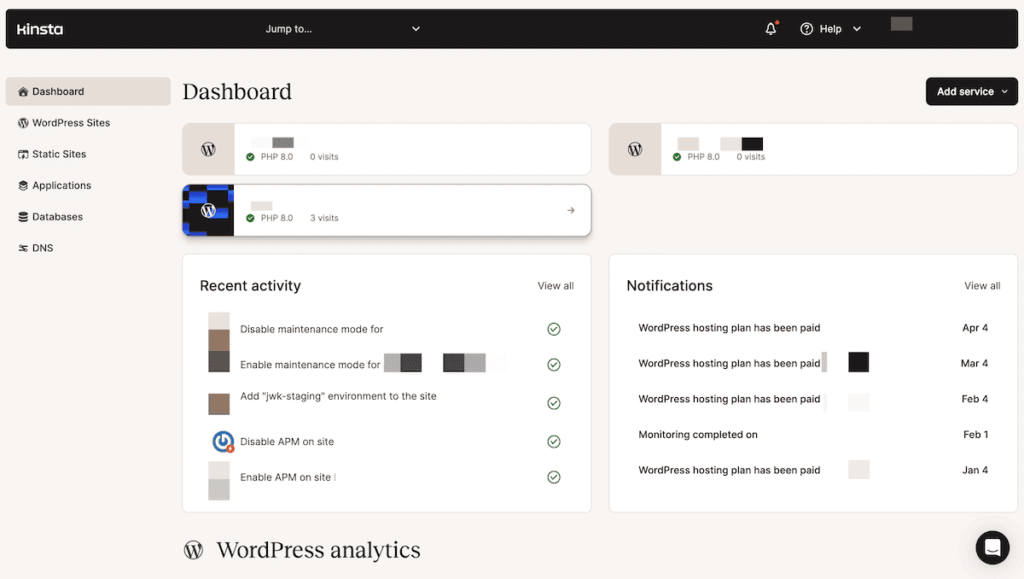
MyKinsta Dashboard
MyKinsta has a clean and modern design that puts all the essential tools within easy reach.
The dashboard is intuitive and easy to navigate.
Some of the most useful features include:
- Analytics
- Caching
- Performance optimization
- Staging environments
- User management
- Development tools
MyKinsta dashboard is perfect for developers who want to manage their WordPress websites more efficiently.
Scalability Comparison
When choosing a managed WordPress hosting provider, it is important to think about your future needs.
Most businesses fail to consider scalability when selecting a hosting provider.
As your website grows, you will need more resources.
You should choose a provider that can scale with you.
Some of the most important factors to consider include:
Traffic
How many visitors do you expect to receive on a daily basis?
Will you need to accommodate a sudden surge in traffic?
Websites
How many WordPress websites do you plan to host?
Do you expect to launch new websites in the future?
WooCommerce
Do you plan to use WooCommerce?
How many products do you expect to list on your online store?
Marketing
Do you plan to use paid advertising to promote your website?
Will you need to accommodate a sudden surge in traffic?
WP Engine Scalability
WP Engine is a great option for businesses that expect to experience significant traffic growth.
The company has a wide range of enterprise plans that are designed to accommodate large-scale operations.
WP Engine is a great fit for:
- National brands
- Publishers
- Universities
- Enterprises
- Agencies
- High-traffic websites
WP Engine is ideal for businesses that need enterprise-level support and resources.
Kinsta Scalability
Kinsta is also a great option for businesses that need to scale their operations.
Google Cloud infrastructure ensures that your WordPress website can handle increased traffic.
Kinsta is a great fit for:
- SaaS companies
- Startups
- Publishers
- Enterprises
- WooCommerce stores
Kinsta offers excellent scalability without breaking the bank.
Agency Features
Agencies have unique requirements that are not available in traditional shared or VPS hosting.
Most agencies offer WordPress hosting services to their clients.
This means that they need to consider the needs of both themselves and their clients.
Some of the most important factors to consider include:
Collaboration Tools
Can team members collaborate on the same project?
Can clients view their websites and manage their content?
Billing
Does the billing system support multiple clients?
Can invoices be generated and sent to clients?
Transfers
Can websites be transferred between team members?
Can clients request website transfers?
Staging Environments
Are staging environments available?
Can team members and clients view and test changes before they go live?
Backups
Are regular backups available?
Can team members and clients access backups in case of an emergency?
WP Engine Agency Features
WP Engine has a wide range of features that are designed to help agencies manage their clients’ WordPress websites.
Some of the most useful ones include:
- Multiple environments
- Easy transfers
- Collaboration tools
- Enterprise features
- Agency partnerships
WP Engine is ideal for agencies that want to provide their clients with a comprehensive managed WordPress hosting solution.
Kinsta Agency Features
Kinsta also has a number of agency-friendly features, including:
- Company management
- Site management
- User management
- Collaboration tools
- Development tools
- Easy transfers
Kinsta is ideal for agencies of all sizes that want to offer managed WordPress hosting services to their clients.
AI and SEO Impact in 2026
Search engine optimization has changed dramatically in 2026.
Traditional SEO practices are no longer as effective as they used to be.
Businesses need to adopt new strategies that take advantage of the latest search engine technologies.
Some of the most important trends in 2026 include:
AI Overviews
Search engines are using artificial intelligence to provide more relevant results.
Businesses need to optimize their content for AI overviews.
ChatGPT
ChatGPT and other chatbots are becoming increasingly popular.
Businesses can take advantage of this trend by optimizing their content for chatbots.
Perplexity
Perplexity is a measure of how easy it is for search engines to understand your content.
Businesses should strive to create content that is easy to understand.
Gemini
Gemini is a new search engine that uses advanced algorithms to deliver more relevant results.
Businesses should optimize their content for Gemini.
Voice Search
Voice search is becoming more popular.
Businesses need to optimize their content for voice search queries.
Core Web Vitals
Core Web Vitals are a set of metrics that measure the performance of your website.
Businesses need to optimize their websites for Core Web Vitals.
User Experience
User experience is becoming increasingly important.
Businesses need to create websites that are easy to use and navigate.
Hosting Impact on SEO
Hosting plays a critical role in SEO.
A reliable hosting provider can help improve your search engine rankings.
However, hosting is just one part of a larger SEO strategy.
Other factors, such as content quality and website structure, are also important.
Many businesses make the mistake of investing in a premium hosting plan without optimizing their content.
If you want to improve your search engine rankings, you need to take a holistic approach.
A soft note for businesses reviewing their overall digital presence: Choosing the right premium hosting is only one element of a successful online strategy. Pairing it with a technically proficient SEO strategy, high-quality content creation, and AI visibility optimization often delivers far better results than focusing on infrastructure alone.
This is where Digehub’s SEO, Content Marketing, and AI Visibility services can provide significant value in complementing your hosting investment.
Common Mistakes When Choosing Managed Hosting
Common Mistakes When Choosing Managed WordPress Hosting
Avoid these pitfalls before committing to a hosting provider
Who Should Choose WP Engine?
WP Engine is a great option for businesses that need enterprise-level support and resources.
It is ideal for:
- Enterprises
- Agencies
- Large-scale operations
- Businesses with high traffic
- Companies that need to accommodate a large number of users
- Organizations that require advanced collaboration tools
WP Engine is a great choice for businesses that need to scale their operations.
Who Should Choose Kinsta?
Kinsta is a great option for businesses that need a reliable and scalable hosting solution.
It is ideal for:
- SaaS companies
- Startups
- Businesses with a large number of users
- Companies that require advanced collaboration tools
- Enterprises
- WooCommerce stores
Kinsta is a great choice for businesses that need to scale their operations.
Final Verdict: WP Engine vs Kinsta 2026
There is no doubt that WP Engine and Kinsta are two of the best managed WordPress hosting providers.
Both companies offer excellent performance, security, and customer support.
However, there are some key differences between the two.
WP Engine has a slight edge when it comes to enterprise-level support and resources.
On the other hand, Kinsta offers better value for money.
When choosing between WP Engine and Kinsta, it is important to consider your specific needs and requirements.
A fast website is important, but it is not the only factor that contributes to traffic growth.
Frequently Asked Questions
Choose WP Engine for enterprise websites and large agencies. Choose Kinsta for developers, SaaS businesses, and companies seeking a clean interface with Google Cloud-powered performance.
It depends on your needs. WP Engine offers more enterprise-focused features, while Kinsta provides excellent value through Google Cloud infrastructure and a modern management experience.
Yes, indirectly. Faster loading, better uptime, and improved user experience can strengthen technical SEO, but rankings still depend on quality content and backlinks.
Very important for dynamic websites like WooCommerce, LMS, and membership platforms, as PHP workers directly affect performance during uncached requests.
Both provide enterprise-grade security, including firewalls, daily backups, malware monitoring, DDoS protection, and SSL certificates. Neither has a clear advantage for most businesses.
WP Engine is better suited for larger agencies managing many client sites. Kinsta is a great choice for smaller agencies that prioritize a simple workflow.
Both can achieve excellent Core Web Vitals. Hosting improves server response, but images, JavaScript, and website optimization have a greater influence on overall scores.
Both handle traffic spikes well. WP Engine excels in enterprise workloads, while Kinsta leverages Google Cloud’s scalable infrastructure for consistent performance.
No. Infrastructure is only one factor. Caching, server optimization, PHP performance, and website optimization have a much bigger impact on real-world speed.
Both are excellent, but WP Engine often has an edge for enterprise-scale WooCommerce stores due to its advanced caching and scalability. Kinsta is ideal for growing stores on Google Cloud.
