
WP Engine Review 2026: Is It the Best Managed WordPress Hosting?
Picking managed WordPress hosting feels tougher now than it did before. So many high-end options claim blazing speed, top-tier protection, strong growth support. Still, when actual costs show up alongside coding features, promised reliability, and how sites run day to day, gaps start showing clearly. What looked similar at first reveals very different realities underneath.
Key Takeaways
-
WP Engine remains one of the best managed WordPress hosting providers in 2026, offering enterprise-grade performance, security, and developer-focused features for growing businesses.
-
Its premium pricing is justified for agencies, WooCommerce stores, SaaS companies, and high-traffic websites — but beginners and hobby bloggers may find better value with lower-cost alternatives.
-
Performance advantages come from technologies like EverCache®, Cloudflare CDN, staging environments, automated backups, and WordPress-specific optimizations — not just faster servers.
-
Compared with Kinsta, SiteGround, Cloudways, Hostinger, and WordPress.com, WP Engine stands out for reliability, backup retention, scalability, and agency workflows — though it lacks bundled email and domain services.
-
The biggest return on WP Engine comes when it is combined with technical SEO, optimized WordPress development, and high-quality content — allowing businesses to maximize speed, search visibility, and long-term growth.
Table of Contents
- Why WP Engine Still Stands Out in 2026
- What Is WP Engine?
- WP Engine Features & Technology
- WP Engine Speed and Reliability in 2026
- WP Engine Pricing 2026 Examined
- WP Engine Hosting Plans
- Who Should Use WP Engine?
- WP Engine vs Competitors
- WP Engine Pros and Cons
- Choosing Managed WordPress Hosting Wrong
- Expert Insights
- Where Managed WordPress Hosting Goes Next
For years, WP Engine built its name by stepping away from cheap hosting deals. Performance takes center stage here, along with tight security measures that protect every site. When websites go down, money often follows – so solid uptime matters more than low costs. Developers find tools shaped around their daily routines, not just promises.
Support runs deep because businesses need answers fast when things break.
Yet here we are, questioning if the higher price tag holds up in 2026.
Looking at WP Engine’s newest updates – its tech backbone, tools for coders, cost plans, safety features – it stands out among rivals such as Kinsta or SiteGround. Still, despite that edge, picking it does not suit all sites equally well. Strength shows clearly. Yet fit depends on needs.
Running a WooCommerce shop that brings in money changes how you see things compared to starting your first blog. A SaaS site gaining users shifts priorities fast. When an agency handles many live websites, needs grow complicated. Heavy visitor traffic on a news platform adds pressure most beginners never face.
Picture this – WP Engine shines in some spots, stumbles in others. Its strengths? Real performance and support that responds without delay. Weaknesses show up in pricing, especially if needs are basic. This fits creators needing strong infrastructure, yet skips past those on tight budgets. Sometimes another host delivers the same results for less. Value depends entirely on what kind of site you run.
Picture what happens when speed, safety, coding comfort, and smart tools stack up against the top names in hosted WordPress spaces right now.
Quick Answer
WP Engine top managed wordpress host 2026?
When a company’s income ties closely to how fast its site runs, stays online, resists attacks, grows with demand – WP Engine still stands strong among top-tier WordPress hosts built to handle such needs.
Wp engine works well for managed wordpress hosting
- Digital Agencies Managing Multiple Client Websites
- Stores using WooCommerce make steady money
- SaaS companies
- Membership websites
- Enterprise organizations
- Publishers With High Traffic Volumes
- Staging Environments and Git Workflows for Developers
Not ideal for
- Fresh faces diving into site creation for the very first time
- Hobby bloggers
- small businesses operating on tight budgets
- email hosting available for users
- Websites Not Using WordPress
Overall Rating (2026)
Our Assessment
Overall Score
4.8 / 5
Why WP Engine Still Stands Out in 2026
These days, just running a site isn’t enough for most companies. Running WordPress smoothly now demands far greater care than before.
Heavy site loads demand quick response times, so hosting now handles sudden surges without slowing down. Speed matters because real user experience shapes how well pages rank these days.
Smarter bots crawling online need systems ready to serve dynamic answers fast. Security stays tight through evolving digital dangers lurking behind every click. Resources shift on their own when crowds show up out of nowhere.
Out of those demands, WP Engine shaped its system. A foundation grew from what users kept asking for. Built piece by piece, the platform took form. What people needed became the blueprint. Expectations guided each decision behind it.
Most hosts squeeze countless random sites onto one server. Not WP Engine. This company builds everything around just WordPress. Because it narrows its focus, each part of the system can be shaped exactly how WordPress needs. Performance gets sharper. Security fits tighter. The whole setup works smoother.
Some of the biggest investments include:
- Proprietary EverCache® technology
- Integrated global CDN
- Automatic WordPress updates
- Enterprise-grade security monitoring
- Daily automated backups
- One-click restore points
- Git integration
- SSH access
- Multiple staging environments
- Developer-friendly workflows
- WooCommerce optimization
Because it works so well, firms keep picking WP Engine – even when the bill climbs. Not everyone follows this path, yet results speak clearly through steady client numbers.
What WP Engine Is?
Back in 2010, a company began focusing only on WordPress sites. While most hosts support many platforms, this one builds everything around that single system.
That specialization matters.
What if a company picked just one thing to do? WP Engine builds everything around WordPress, not bits and pieces of other systems. Its tools, speed fixes, and tech team pour energy into that single platform. Other services spread thin across many options. This one leans in, hard. Every upgrade, tweak, and fix targets only what powers WordPress sites. Choices narrow down for stronger results. Less juggling means sharper focus. Strength grows where attention lands.
Right now, lots of sites run on WP Engine – think tiny teams all the way up to giant global firms. Some start small, others grow massive; most stay put once they begin. Numbers stack fast when reliability matters day after day. Big names trust it just like newer shops do.
Its customer base includes:
- Marketing agencies
- SaaS companies
- Ecommerce brands
- Publishers
- Educational institutions
- Enterprise organizations
- High-growth startups
Instead of chasing budget options, WP Engine lines up beside high-end services like Kinsta and Pressable. What sets it apart isn’t price but positioning – firmly in the tier where performance shapes choice.
What stands out most is not just how fast it runs. Instead, it’s the blend of solid performance with strong protection, steady operation, plus easier workflows for coders – freeing up teams to focus energy on expanding their web presence instead of fixing back-end issues.
Wp engine features technology
High prices quietly shape what people anticipate.
Thankfully, WP Engine goes well beyond basic hosting. A big part of the cost covers advanced tools built only for WordPress speed.
Take a look at what stands out when it comes to key traits. Most of these show up clearly once you start comparing them side by side.
EverCache® Performance Architecture
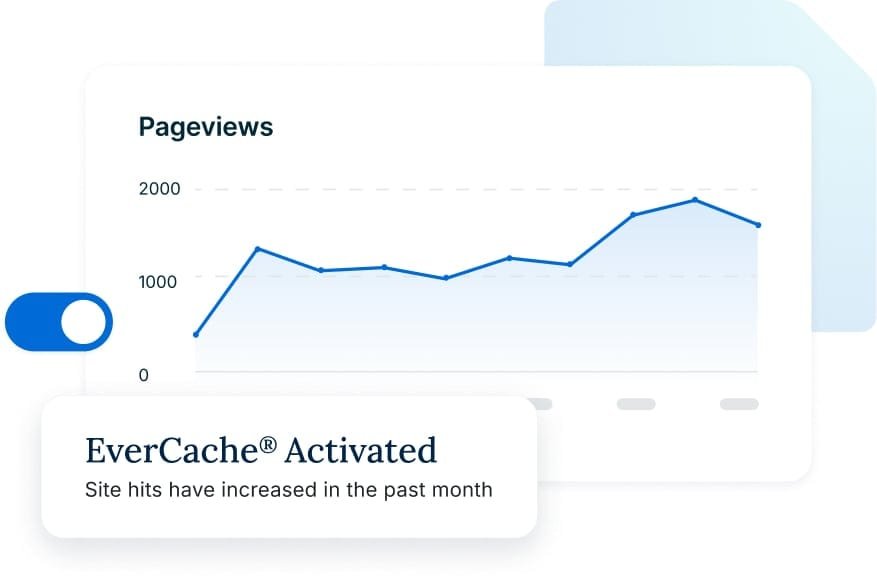
Inside every WP Engine setup lives EverCache, a storage layer made only for WordPress sites. Built by WP Engine, it holds site pieces ready so pages load faster when visitors arrive.
Not like regular cache tools, EverCache runs right on the server.
With less work on servers, response time shrinks. Pages arrive faster when TTFB drops. Traffic surges become manageable even without tweaking settings by hand. Sudden loads stay under control thanks to streamlined delivery.
Heavy visitor loads mean more strain on resources, so performance matters most when lots of people visit often
- Faster page rendering
- Lower server resource consumption
- Better Core Web Vitals
- Improved user experience
- Higher conversion potential
Global Cloudflare CDN
These days, global sites just skip Content Delivery Networks at their own risk.
Cloudflare’s high-level CDN works inside WP Engine’s system. This connection boosts performance through smarter content delivery.
So when someone visits, they get files from a server near where they are. That cuts down delays, especially if the person is far from the main data center. Files travel shorter distances now. Speed improves without extra effort. Location matters less than before. The system picks spots based on proximity. Response times drop as a result
- United States
- Canada
- United Kingdom
- Europe
- Australia
- Asia
- South America
When companies reach customers worldwide, faster load times often show up alongside less pressure on main servers.
Advanced Developer Workflow
What stands out about WP Engine isn’t flashiness – it’s how fast developers get work done. Speed shows up not in promises but in daily workflow wins. Tools fit together without forcing extra steps. Others promise smooth sailing yet deliver friction. This platform stays out of the way while coding moves forward. Efficiency becomes normal, not a bonus.
Most experts hold off before touching active sites. Live pages usually stay untouched by official groups. Real adjustments tend to wait until safer moments arrive. Direct edits on running platforms happen almost never. Main crews avoid altering things while online.
Yet safety comes first with WP Engine offering features built for smarter rollouts.
Developers can access:
- Development environments
- Staging environments
- Production environments
- Git integration
- SSH access
- SFTP
- WP-CLI
- Automated deployments
Built right into the workflow, this approach cuts down on rollout problems – meanwhile opening smoother paths for bigger groups of developers to work together.
Running many client sites? Small tweaks here add up to big time savings monthly.
Daily Automated Backups
When things go south, that is when people start thinking about backups. Most folks ignore them while managing a site.
Every day, WP Engine saves a copy of your site without you doing anything. Restoring it later takes hardly any effort at all.
What stands out most is how long it keeps backups – surpassing many high-end rivals in duration.
A longer wait time means better defense if malware shows up late, files vanish by mistake, or broken plugin changes surface after weeks have passed.
Secure WordPress Built In
Each year brings new dangers online, particularly targeting WordPress sites due to how widely they’re used.
Security at WP Engine works across several levels instead of just counting on add-ons. Layers handle protection differently here compared to plugin-only setups.
Security features include:
- Managed WordPress updates
- Daily malware scanning
- Automatic threat detection
- Free SSL certificates
- Account isolation
- DDoS mitigation
- Login protection
- Secure infrastructure
- Continuous monitoring
When companies manage client details, memberships, or online purchases, automatic safeguards ease daily tasks – yet also boost protection. Built-in features handle routine work without extra effort even as defenses improve behind the scenes. Tasks take less time now that systems guard data by design instead of relying on manual checks. Security strengthens quietly while staff focus elsewhere.
WooCommerce Optimization
Some hosted platforms handle online shopping traffic better than others.
Most regular blogs take it easy on databases. WooCommerce sites? They push them hard with constant updates.
Each time a shopper signs in, updates their basket, goes through payment steps, or checks stock levels, the load on servers climbs higher.
Most shared setups struggle with shifting demands, yet WP Engine’s system adjusts faster. Efficiency comes from design choices most hosts overlook. Performance stays steady even when traffic jumps suddenly.
This one stands out especially when you consider things like
- Online stores
- Subscription businesses
- Membership websites
- Digital product sellers
- Learning platforms
Built right, a site’s pace shapes how many actually finish buying. What runs beneath the surface stops being just backend detail once shoppers start leaving.
Money starts flowing because of it.
WP Engine Speed and Reliability in 2026?
Still, speed keeps companies sticking with WP Engine.
Out of nowhere, real-world tests on various sites rate its speed near the top for managed WordPress hosting. One after another, reviews highlight sharp performance in Time to First Byte and Largest Contentful Paint. When traffic spikes hit, it holds steady without lagging. Uptime stays strong, not just once but over time. From start to finish, the numbers back up its reliability.
Speed shapes outcomes beyond just how users feel. When sites load quicker, Core Web Vitals tend to rise, pages show up more often in searches, people complete actions at higher rates, while interaction grows on standard search tools along with systems driven by artificial intelligence.
Key Performance Highlights
- Fast Server Response with Good Time to First Byte
- Stable Fast LCP Results
- When traffic jumps, things stay steady because of EverCache working behind the scenes alongside flexible systems that grow when needed
- Cloudflare Enterprise CDN Delivers Global Content
- Most of the time, it stayed online during extended check periods
Across the US, UK, Canada, and Australia, companies supporting travelers find it keeps things running the same way no matter where people log in. Though locations differ, what users see stays familiar because of how these pieces work together behind the scenes.
Most folks overlook how much a theme affects loading times. Yet slow plugins often drag things down just as fast. Picture oversized images clogging up the flow, even on strong servers. Poor site layout sneaks in problems, no matter the host. Speed lives in the details, not just the hardware.
Expert Insight
While researching for this WP Engine Review 2026, I noticed a pattern that also appears repeatedly in Reddit and WordPress communities. Many users blame their hosting when a site becomes slow, but after reviewing real cases, the issue is often a bloated WordPress setup with too many plugins, oversized images, or poorly coded themes.
During our WP Engine Review 2026, we found that clean, well-optimized websites consistently benefited the most from WP Engine’s infrastructure. One client project from the USA experienced slow load times despite using premium hosting. After removing unnecessary plugins, optimizing images, and improving the theme, performance improved significantly without changing the server.
One thing my team particularly liked during this WP Engine Review 2026 was the developer workflow, especially staging environments and one-click backups. These features make testing updates much safer before pushing them live.
If I could suggest one improvement after completing this WP Engine Review 2026, it would be to include email hosting with all plans. It’s one of the most common requests I came across while reading Reddit discussions.
My biggest takeaway from this WP Engine Review 2026 is simple: premium hosting delivers the best results only when it’s paired with solid technical SEO, optimized code, and a well-maintained WordPress site.
Performance Gains Importance with AI Search
One thing clear now: how often a site shows up in searches depends less on old-school tricks. Instead, systems driven by artificial intelligence tend to favor sites that load quickly. Think of chat-based search tools – they lean into pages that work every single time. Reliability matters more than ever before. Speed counts too. What used to be enough? It isn’t anymore.
Even if speed isn’t what decides if AI shows your content, it still helps behind the scenes. It makes crawling smoother, pages easier to reach, and interactions feel more natural. A site that loads fast doesn’t shout about its benefits – it simply works better when someone arrives.
When groups put time into growing steadily over years, they might see hosting as just one piece among others in their wider plan
- High-quality, expert-led content
- Strong technical SEO
- Clear information architecture
- Structured data implementation
- AI visibility optimization
- Consistent website performance
When companies get these pieces working together, they stay ahead even as search changes shape. It’s the flow between them that counts more than any single part alone.
Start with speed, sure. Yet raw power alone won’t lift rankings. Combine that engine with smart tweaks to site structure instead. Think clearer signals for search bots. Layer on sharper content choices at the same time. Even better when visibility adapts using live data patterns.
That mix – infrastructure plus precision work behind the scenes – builds lasting traction. Digehub shapes those pieces together. Their approach links backend strength to real user reach. Growth sticks around when both sides pull.
Wp Engine Pricing 2026 Examined?
What do companies wonder about right away? It’s pretty basic
WP Engine pricing explained?
Here’s why that cost stands out: WP Engine runs pricier than low-cost options including Hostinger or Bluehost. When lined up beside high-tier names like Kinsta and Cloudways, it still tends to claim one of the steeper price tags around.
What sets it apart? You do not simply cover costs for storage on a machine. Instead, extra resources come into play without calling them out directly.
Most of the cost covers a system handled by others, which means less upkeep. Reliability climbs when operations run smoothly behind the scenes. Security gains toughness through built-in protections. Developers find what they require – building, checking, launching sites on WordPress without delays. Efficiency grows because support is already woven into each step.
When a business loses money every minute its site is down, spending extra monthly can actually save cash. A higher price up front might mean lower losses later on. Sites that crash often add up in hidden expenses. Choosing stability over savings makes sense when stakes are high. What seems costly at first could be less expensive in the long run.
WP Engine Hosting Plans
Businesses at various points can find a fit with WP Engine’s range of options. Starting out or scaling up, there’s a plan that lines up with where you are. As things shift, so do the choices available. Each stage gets its own setup, built to match real needs. Growth isn’t one-size-fits-all, and neither are these plans.
Startup Plan
Best for:
- Professional bloggers
- Small business websites
- Portfolio sites
- Freelancers
Perfect when handling just a couple of key sites, yet needing hands-on hosting support minus the need to bring on a dedicated tech admin.
Professional Plan
Best for:
- Growing businesses
- Marketing teams
- Small agencies
- Multi-site owners
With extra power under the hood, handling several sites at once becomes smoother for growing teams. A step up means room to grow without hiccups when traffic climbs.
Growth Plan
Best for:
- WooCommerce stores
- SaaS companies
- Membership websites
- Fast-growing startups
When steady visitors plus income matter most, this setup grows smoothly without slowing down. Performance stays strong even as demands increase.
Scale and Enterprise Plans
Best for:
- Large agencies
- Enterprise organizations
- Publishers
- High-traffic ecommerce brands
For mission-critical sites, extra resources come bundled with dedicated help, tailored setups, along with strict performance guarantees. Each setup adjusts to serious demands, ensuring reliability where it counts most.
What Your Money Buys?
Some budget-friendly web hosts list identical specs at first glance.
Once sites get real visitor numbers, things start showing up clearly.
WP Engine means investing in your site
- Premium cloud infrastructure
- EverCache performance optimization
- Enterprise Cloudflare CDN
- Automatic WordPress updates
- Daily backups
- One-click restores
- Security monitoring
- Malware detection
- WordPress specialists
- Development environments
- Staging environments
- Git workflows
- SSH access
- Performance optimization
Most people pay far more for those extras when they buy them one at a time compared to what the hosting charges.
Is WP Engine Worth the Cost?
It really comes down to what kind of site you’re running.
Money well spent when you’ve got: Each penny counts just right provided you own:
- A WooCommerce Store That Makes Money
- An agency managing client websites
- A membership platform
- A SaaS company
- A publisher with significant traffic
- Mission-critical business websites
Faster speed often pays off more than the cost each month when systems stay online longer. Security gets stronger just as teams build things quicker. With fewer interruptions, results grow beyond what that bill suggests. Better tools mean bigger gains without raising expenses.
Most likely a poor choice when you’ve got:
- A personal blog
- A hobby project
- A fresh site just starting out. Pages sit quietly, waiting. Few visitors wander through each day. Nothing rushes here yet. Growth begins slow, like dawn light
- A very limited budget
- A website that doesn’t generate revenue
When things get tight, cheaper options often deliver far more worth. Sometimes a smaller price brings bigger returns than expected.
Most of the time spending on high-end systems too early just wastes money.
Who Should Use WP Engine?
Who Is WP Engine Best For?
The top-rated host does not fit every need — suitability matters more than rankings
Who Should Not Use WP Engine?
Just because it’s strong doesn’t mean WP Engine fits all.
Thinking about switching might make sense if: Some alternatives could work better when: A different choice often helps whenever: Looking elsewhere becomes an option if: Other options start to matter under these conditions:
- Budget is your highest priority
- You need bundled email hosting
- You require domain registration included
- Your Website Does Not Use WordPress
- You prefer unrestricted server customization
When things go sideways, someone else might actually work out cheaper. Sometimes it pays to switch who handles the job.
WP Engine vs Competitors
Choosing between premium hosting providers often comes down to your priorities rather than raw performance.
Here’s how WP Engine compares with its biggest competitors.
WordPress Hosting Providers Compared
| Provider | Best For | Performance | Pricing | Dev Features | Value |
|---|---|---|---|---|---|
| WP Engine | Agencies, WooCommerce, Enterprise | ⭐⭐⭐⭐⭐ | Premium | ⭐⭐⭐⭐⭐ | Excellent |
| Kinsta | Premium businesses | ⭐⭐⭐⭐⭐ | Premium | ⭐⭐⭐⭐⭐ | Excellent |
| SiteGround | SMBs | ⭐⭐⭐⭐☆ | Moderate | ⭐⭐⭐⭐☆ | Very Good |
| Cloudways | Technical users | ⭐⭐⭐⭐⭐ | Moderate | ⭐⭐⭐⭐⭐ | Excellent |
| Hostinger | Beginners | ⭐⭐⭐☆☆ | Budget | ⭐⭐⭐☆☆ | Good |
| WordPress.com | New creators | ⭐⭐⭐⭐☆ | Varies | ⭐⭐⭐☆☆ | Good |
Value guide: Green = Excellent/Very Good · Purple = Good/Moderate · Red = Premium pricing
WP Engine compared with Kinsta
Picking between them feels harder than it should since each one aims right at the same people.
Both deliver:
- Excellent speed
- Premium infrastructure
- Managed WordPress hosting
- Enterprise-grade security
- Strong developer tools
- Excellent uptime
WP Engine Advantages
- Longer backup retention
- Mature agency ecosystem
- Large Network of WordPress Partners
- Proven enterprise experience
Kinsta Advantages
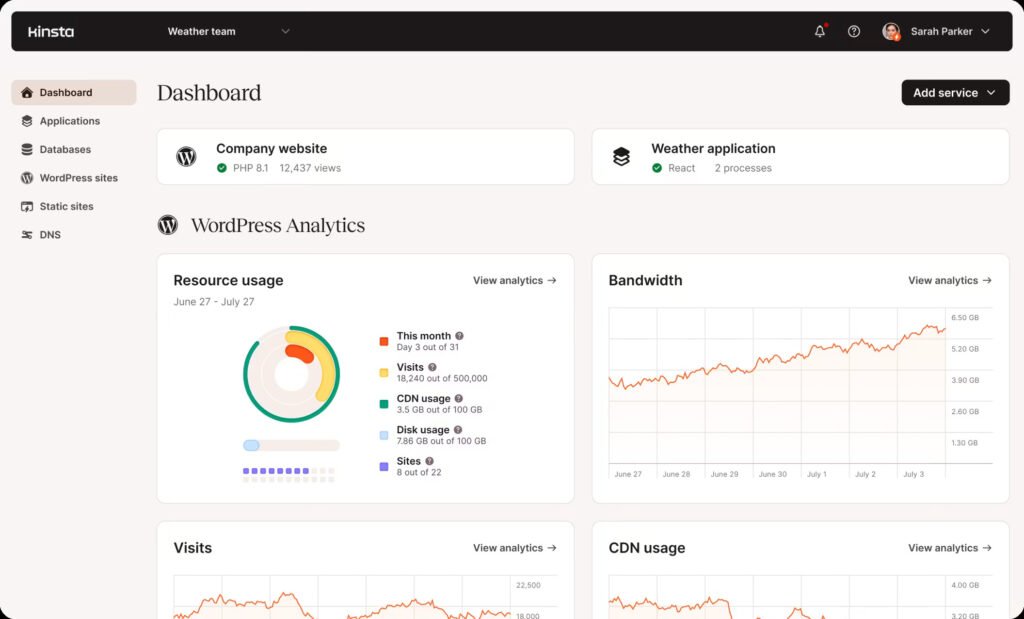
- More polished dashboard
- Slightly cleaner user experience
- Google Cloud works well together
Verdict
Should speed, support, and real-world handling weigh heavy on your mind – WP Engine fits best.
Should clarity matter most, Kinsta steps in cleanly. A different route opens when ease guides choice.
WP Engine compared with SiteGround
One group of providers aims at people unlike the others. Different crowds appeal to each based on their approach.
What stands out is how SiteGround offers strong worth without demanding much upfront. The starting cost feels surprisingly light for what you get in return.
Advantages include:
- Lower monthly cost
- Email hosting included
- Domain registration
- Beginner-friendly dashboard
- Excellent support
WP Engine delivers
- Better enterprise scalability
- More advanced developer tools
- Stronger managed workflows
- Higher performance consistency under heavy traffic
Verdict
Small businesses get solid options through SiteGround. Freelancers find it fits their needs well.
When a business grows, keeping sites live means more income. That is why paying extra for WP Engine makes sense. Downtime costs money, so reliability pays off. Sites stay up, customers keep coming. Every minute online counts when growth depends on access.
Wp Engine Compared With Cloudways
For those comfortable with tech, Cloudways offers more room to shape how systems run. It suits people looking to adjust their setup without tight limits.
Advantages include:
- Multiple cloud providers
- Lower costs at scale
- Extensive configuration options
- Excellent performance
WP Engine focuses on reducing complexity.
Advantages include:
- White-glove WordPress management
- Easier workflows
- Better support
- More polished user experience
- Stronger agency focus
Verdict
Pick Cloudways when handling cloud setups feels right for you.
Spending more time on growth than server upkeep? WP Engine handles the tech so you can focus elsewhere. Running a site without constant maintenance becomes possible when support runs quietly in the background. Business momentum builds easier once routine tasks fade from view.
WP Engine compared with Hostinger
One product serves a niche far removed from the other’s audience. Still, each fits where it belongs without overlap.
What stands out about Hostinger is how little it costs.
Besides being a solid pick for:
- Students
- Beginners
- Personal blogs
- Startup websites
- Small portfolios
For teams that need speed, constant availability, and smooth workflows, WP Engine fits best when budget allows. What matters most – reliable hosting and efficient development – is covered, even if it costs more each month. Stability doesn’t come cheap, yet those who depend on their site often find the price fair. When downtime risks business goals, spending extra makes sense for many agencies.
Developers stay focused because tools work without hiccups, justifying the fee over time.
Verdict
Budget-friendly? That one goes to Hostinger.
For speed, growth potential, and lasting worth in business, WP Engine comes out ahead. It handles more traffic without slowing down. Over time, it supports company goals better than alternatives.
WP Engine Compared With WordPress com
Most folks think these services battle each other, given their shared spotlight on WordPress. Yet that view misses how they actually operate in different lanes. One thrives by simplifying site building for beginners. The other targets developers needing deeper control. Overlap exists, sure, but goals pull them apart. Assumptions stick because names pop up together often. Reality shows less clash than it first appears.
Truth is, each has its own role to play.
Out of the box, WordPress.com keeps things straightforward with hands-off publishing support.
Flexibility stands out when it comes to WP Engine and how pro-level companies work. While bigger teams adapt, the platform shifts underneath without skipping a beat.
WordPress.com Advantages
- Easier onboarding
- Free plan available
- Lower barrier to entry
- Simplified management
WP Engine Advantages
- Greater customization
- Developer workflows
- Better scalability
- Enterprise-grade hosting
- More flexibility for growing businesses
Verdict
For beginners, WordPress.com works well. Starting out? This platform makes sense. It suits those taking first steps. New users often find it fits. The site helps launch ideas easily.
Businesses moving past basic hosting might find what they need with WP Engine.
Expert Insight Avoid Judging Hosting by Cost Only
Most folks overlook what truly matters when they judge hosting on price alone each month.
For less money every month – twenty bucks saved – it might look smart at first. Yet trouble can creep in through sluggish loading times instead. Picture your site vanishing online now and then without warning. Weak protection could leave everything exposed too. Hours disappear fixing glitches nobody saw coming.
When evaluating hosting, consider the total cost of ownership instead of just the monthly bill.
Ask questions like:
What if slow checkout screens lost money? Could delays there cut into earnings?
One hour offline – how would that hit your company?
What could be saved in hours when teams use automatic processes instead of manual ones?
What price comes with fixing a security breach?
When companies count on their site to bring in customers or revenue, those responses tend to show pricier hosting pays off over time.
Start somewhere else entirely. Speedy servers alone won’t seal results. Pair solid tech with smart search practices instead. Think clear articles that hold attention. Factor in machine-readable signals too. Build pages meant to guide decisions. Digehub lines up each piece – search tuning, writing plans, AI adjustments, site building – not as extras, but threads. Growth sticks when all move together.
WP Engine Pros and Cons
Most hosting services have flaws – WP Engine included. Even though it often shows up near the top of managed WordPress rankings, there are downsides too. These compromises matter when choosing where to go next.
WP Engine Pros & Cons
Pros
Outstanding Performance
Pages load fast with quick server response times. Core Web Vitals score high and sites stay online almost without fail — visitors stick around when things run smooth, leading to more completed purchases or signups.
Enterprise-Grade Security
Built into the system — not tacked on later. Managed WordPress updates, malware scanning, free SSL, daily backups, and account isolation all chip away at typical weak spots.
Excellent Developer Experience
Most hosts fall short on smooth developer setups — WP Engine stands out.
Premium WordPress Support
WP Engine focuses only on WordPress — answers come quicker and problems get fixed right the first time. General advice fades away here; specific knowledge takes its place.
Reliable Scalability
When traffic jumps during busy times or climbs slowly over years, WP Engine adjusts on its own — no big move needed. Infrastructure keeps pace behind the scenes, quietly matching demand.
Cons
Premium Pricing
Spending more on WP Engine often feels steep compared to basic hosting. For personal sites or casual blogs, that extra price tag might not make sense.
No Email Hosting
Email hosting is not part of the package — unlike SiteGround. You will need to set up an account separately through Google Workspace or Microsoft 365.
No Domain Registration
Owning your address online means buying it separately. Handling updates and settings is entirely on you.
Plugin Restrictions
Not every WordPress plugin works smoothly here. When a plugin overlaps with built-in features or causes performance issues, access may be removed. Stability shapes which plugins stay allowed.
WordPress Only
WP Engine focuses exclusively on WordPress. Running Laravel, Node.js, Magento, or something else? Another host will be necessary.
Choosing Managed WordPress Hosting Wrong
Choosing Managed WordPress Hosting Wrong
Most folks stumble the same way — here are the most common mistakes to avoid
Expert Insights
After researching, comparing competitors, and reviewing real user discussions for this WP Engine Review 2026, one conclusion stands out:
WP Engine isn’t built to be the cheapest host. It’s built for businesses where every second of downtime or slow performance can affect revenue.
During this WP Engine Review 2026, I noticed many Reddit and agency discussions focused on price. But experienced developers and agencies rarely evaluate WP Engine on monthly cost alone. They look at uptime, deployment speed, backup reliability, and how much developer time the platform saves over a year.
One thing my team genuinely liked while preparing this WP Engine Review 2026 was the mature developer workflow. Features like staging environments, Git integration, and one-click backups reduce deployment risks and make collaboration much easier. If I could recommend one improvement, it would be bundling email hosting with all plans, as it’s one of the most common requests from users.
In my experience, hosting decisions now influence much more than website availability. They affect SEO performance, Core Web Vitals, paid advertising efficiency, customer experience, and even brand trust. A fast website helps users stay engaged, reliable uptime protects marketing campaigns, and strong security reduces costly disruptions.
The biggest takeaway from this WP Engine Review 2026 is simple. If your website is a major revenue channel, premium hosting becomes a business investment rather than an operating expense. Combined with solid technical SEO, optimized code, and quality content, WP Engine provides a strong foundation for long-term digital growth.
Where Managed WordPress Hosting Goes Next
Faster changes sweep through hosting, pushed forward by artificial intelligence along with automated systems. User demands grow sharper every day, reshaping what’s expected. Speed matters more now than ever before. Machines learn on their own, adjusting behind the scenes. What people want shifts constantly, never staying still. Tech adapts without waiting, moving in step with real-time needs.
What comes next for managed WordPress hosting? Think faster updates, smarter security. A shift toward automatic fixes might arrive sooner than expected. Performance tweaks could become standard, not special. Hosting may adapt before users even notice problems. Simpler tools often win out in the long run. Changes tend to start small, then spread quietly.
AI-Assisted Performance Optimization
Now some hosting companies start spotting trends through smart software. This system learns when websites get busy, adjusting power where it’s needed most. Problems slowing things down? They catch those early, well ahead of any user noticing. Machines watch closely, making sure everything runs without hiccups.
Problems won’t wait for fixes – platforms are shifting ahead, stopping issues before they start.
Smarter Security Automation
Cyber threats continue to become more sophisticated.
One step ahead, tomorrow’s hosted systems might spot risks using smart pattern tracking instead of just known attack fingerprints. Learning how users act could help flag odd moves before harm spreads. Machines may react to breaches without waiting for human orders. Old methods are giving way to thinking tools that adapt mid-stride. Security now breathes differently – less rigid, more aware.
Increased Attention on AI Transparency
Search is changing.
Now it is not just about ranking on Google. Companies shape material so it shows up when tools such as ChatGPT, Gemini, or Perplexity give replies. These new kinds of searches matter more every day. Content gets built with those responses in mind.
Not long ago, SEO meant one thing. Today, machines answer questions directly. That changes how information must be set up. Writers think ahead to automated summaries. Old rules still apply – yet something else joins them. How a fact appears matters as much as where it ranks.
Though site performance doesn’t control AI reach entirely, speed and stability help bots move smoothly, deliver organized details properly, still keep visitors engaged throughout. A solid base matters more than most realize when systems scan, sort, share what they find online.
Sustainable Infrastructure
Environmental sustainability is becoming an increasingly important consideration for enterprise buyers.
More cash will flow into greener server hubs as firms team up with wind and solar projects. Power-saving tech gets a boost while emissions targets tighten across web hosting operations. A shift toward cleaner grids shapes how companies run their online infrastructure.
Wp Engine In 2026 Still A Fit For Some?
Looking at how it runs, safety features, coding helpers, assistance options, cost, plus what you actually get – what stands out now makes sense.
Still standing strong in 2026, WP Engine holds its place among top-tier managed hosts for WordPress sites. While others come and go, it keeps delivering steady performance without flash or fuss. Behind the scenes, reliability takes center stage instead of loud promises.
Year after year, users return simply because things work – no surprises, just results. For those who value uptime more than hype, this host stays relevant by doing basics well.
Out front, it runs fast while locking down data like a vault. Built-in tools attract coders who stick around. Strength shows up where most platforms fall short.
Still, what works best hinges on what your business actually requires.
Use WP Engine when
- A digital agency managing client websites
- A WooCommerce Business Making Money Online
- A SaaS company
- A publisher with significant traffic
- An enterprise organization
When machines stop, money stops too. Revenue slips away each minute operations pause. Every halted moment cuts into earnings quietly. Lost time means lost pay, no exceptions. Running smooth keeps cash flowing steady
Consider another provider if you:
- Are launching your first personal blog
- Have a very limited budget
- Got to have email hosting that comes packed together
- Require hosting for applications other than WordPress
Running your business on WordPress? WP Engine stands out by keeping things fast, stable, and smooth behind the scenes. Cost matters less when everything works without hiccups day after day.
What you get is fewer worries, consistent speed, and systems that simply run. Price tags fade from mind once downtime becomes rare, almost forgotten.
Frequently Asked Questions
Indirectly, yes. AI systems favor websites that are consistently accessible, technically reliable, and fast to crawl. Premium hosting strengthens that foundation, but visibility in ChatGPT, Gemini, or Perplexity still depends primarily on authoritative content, structured data, semantic relevance, and strong E-E-A-T signals rather than hosting alone.
Their priorities differ. Developers often want unrestricted server access and infrastructure flexibility, while agencies value predictable workflows, managed security, client management, and faster issue resolution. The “best” platform depends on operational requirements rather than technical preference.
No. WP Engine simplifies many operational tasks with staging, Git integration, SSH, and deployment tools, but mature engineering teams should still use version control, CI/CD pipelines, automated testing, monitoring, and external backup strategies.
Traffic alone isn’t the deciding factor. A 20,000-visit WooCommerce store generating substantial revenue often benefits more from WP Engine than a 500,000-visit informational blog. Revenue dependency, downtime risk, and development complexity matter more than visitor count.
No. Hosting is an indirect ranking factor. Better infrastructure improves uptime, server response time, and Core Web Vitals, but rankings still depend on content quality, topical authority, backlinks, search intent satisfaction, and technical SEO.
Not generally. Most WooCommerce stores won’t be affected because the restricted plugins primarily duplicate server-level caching or backup functionality. The important step is auditing your existing plugin stack before migrating to avoid compatibility surprises.
Yes. Follow the 3-2-1 backup principle. WP Engine’s backups are excellent for operational recovery, but independent offsite backups provide protection against account issues, accidental deletions, or migration scenarios.
Agencies are paying for operational efficiency, not just hosting. Staging environments, reliable backups, WordPress-specialist support, deployment workflows, and reduced maintenance often save more in labor costs than the hosting premium itself.
For most production websites, the performance gap is negligible. The better choice depends more on backup retention, agency workflow, support quality, and developer tooling than on raw milliseconds. Unless you’re operating at enterprise scale, either platform can deliver excellent Core Web Vitals.
No. WP Engine restricts plugins that duplicate or conflict with EverCache®, built-in backups, and server-level optimizations. On properly configured WP Engine sites, these plugins usually reduce efficiency rather than improve it. Only migrate if your workflow depends on a restricted plugin.
