
ClickUp vs Monday.com 2026: Which Tool Is Better?
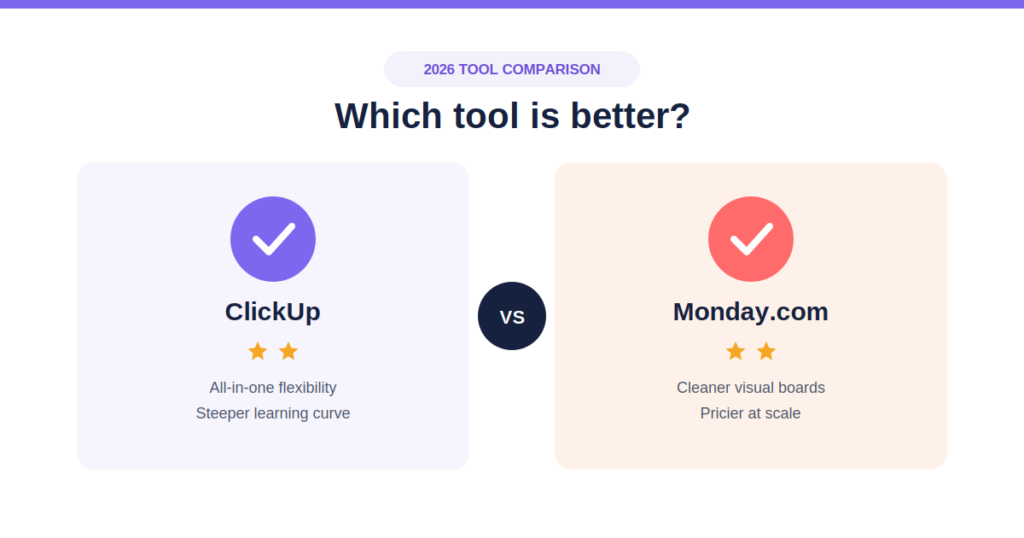
Selecting the ultimate software engine to sync your team’s operational workflows has become a critical performance decision. The modern project landscape is no longer just about basic checklists and simple Kanban views. Today, it is driven by deep database customization, native resource tracking, and agentic AI execution.
If you are trying to scale digital search visibility, coordinate a multi-channel content strategy, or keep an internal engineering squad unified, your underlying work management architecture will either act as a force multiplier or create bottleneck friction.
Two dominant systems lead this space: ClickUp and Monday.com. Both platforms have undergone massive systemic transformations in 2026. ClickUp has completely deprecated its legacy layout, enforcing its unified ClickUp 4.0 interface centered around full-context workspace logic. Meanwhile, Monday.com has radically expanded its Work OS capabilities, introducing custom AI Agent blocks (“Call My Agent”) directly into its newly overhauled automation builder.
This comprehensive, data-driven analysis strips away the marketing fluff to compare ClickUp vs Monday.com across real-world architecture, features, workflows, and pricing tiers so you can deploy the correct engine for your business infrastructure.
The Verdict: Which Tool Wins in 2026?
If you need an instant roadmap decision based on your team structure, core objectives, and internal technical capabilities:
- Choose ClickUp if: You manage highly technical teams (such as web developers or technical SEO specialists), require an exhaustive degree of customization across nested data hierarchies, rely on native multi-layered task dependencies, or need robust built-in time tracking and docs within a highly aggressive budget. ClickUp 4.0 functions as a powerful, all-in-one productivity hub.
- Choose Monday.com if: You are scaling an agency, creative department, or non-technical business unit that values clean visual scannability, lightning-fast cross-departmental onboarding, and highly reliable, code-free automation logic. Monday.com provides a polished, intuitive “Work OS” interface that minimizes setup friction and maximizes user adoption.
| Evaluation Metric | ClickUp (Version 4.0) | Monday.com (Work OS) | Winner |
| Interface & Navigation | Converged Global Sidebar (Steep learning curve, ultimate flexibility) | Visual, color-coded boards (Ultra-intuitive, instant adoption) | Monday.com (For Clarity) |
| Data Hierarchy Depth | Workspace > Space > Folder > Subfolder > List > Task > Subtask | Workspace > Folder > Board > Item > Sub-item (1-level limit) | ClickUp (For Depth) |
| Native Project Views | 15+ Views (List, Board, Gantt, Calendar, Mind Maps, Whiteboards) | 6+ Core Views (Board, Timeline, Gantt, Calendar, Map, Chart) | ClickUp |
| Native Time Tracking | Built-in on all paid tiers (Starting at $7/user) | Locked behind Pro Tier ($19/user) | ClickUp |
| Storage Capacity | 100MB Free / Unlimited on all paid plans | 5GB to 100GB maximum capped by tier | ClickUp |
| Automation Power | Multi-trigger native engine + Connected Search integrations | Rebuilt Natural Language Builder + Agentic Workflow Blocks | Tie (Use-case dependent) |
| Starting Price Point | $7 / user / month (No minimum seat mandates) | $9 / user / month (Enforced 3-seat minimum rule) | ClickUp |
Deep Dive: User Experience and Structural Architecture
The primary operational difference between these two platforms can be framed through a simple product design analogy: ClickUp functions like an Android operating system, while Monday.com behaves like an iOS ecosystem.
ClickUp 4.0: The Deep Database Hierarchy
ClickUp’s core architectural philosophy is that you should never have to leave the application to access external notes, documents, chats, or whiteboards. With the complete rollout of the ClickUp 4.0 interface, the platform has consolidated its navigation into a converged global sidebar.
[ClickUp 4.0 Architecture Hierarchy]
Workspace
  └── Space
       └── Folder
            └── Subfolder (New)
                 └── List
                      └── Task
                           └── Subtask
This structural configuration introduces native Subfolders, providing enterprise teams with an additional layer of organization. This is particularly valuable for complex digital campaigns where you must separate macro channels from micro deliverables without breaking reporting rollups.
Furthermore, ClickUp introduces Custom Fields by Task Type. This ensures that a technical task (like a website development audit) only surfaces technical parameters, while a creative asset assignment surfaces design-relevant fields. This update directly resolves historical complaints regarding workspace clutter.
Monday.com: The Clean, Visual Work OS
Monday.com prioritizes immediate visual hierarchy and intuitive user adoption. The interface relies on highly scannable, color-coded grid layouts that look and feel like an advanced, interactive spreadsheet on steroids.
Unlike ClickUp’s highly nested system, Monday.com keeps its architecture relatively flat: Workspace > Folder > Board > Item > Sub-item.
Because Monday.com limits sub-items to a single nested level, it prevents teams from over-engineering their project structures. If you are managing a fast-moving content marketing strategy or coordinates multi-channel ad delivery, your team members can glance at a board and instantly understand status flags, ownership assignments, and approaching deadlines without drilling down through multiple menu layers.
Core Feature Comparison: Tracking, Views, and Docs
1. Project Views and Task Visualization
ClickUp excels in sheer visualization flexibility, offering over 15 distinct views natively. For advanced project managers handling engineering sprints, ClickUp’s Gantt chart engine is built for speed, enabling teams to export custom timeframes to executive stakeholders without cropping out surrounding quarters. ClickUp also includes built-in collaborative Whiteboards, allowing teams to map out asset pipelines visually before converting nodes directly into actionable tasks.
Monday.com focuses on the execution clarity of its core views: Table, Kanban Board, Timeline, Gantt, and Workload. While it offers fewer total views than ClickUp, its Workload Widget features dual-level grouping. This capability enables agency directors to bracket operational capacity by department or project first, and then isolate individual team members within that group. This layout provides clear visibility into resource bottlenecks and prevents team burnout.
2. Native Time Tracking and Financial Reporting
For services agencies or digital consultancies that bill clients by the hour, time tracking metrics represent a critical bottom-line requirement.
- ClickUp includes native time tracking across all paid plans (starting at $7/user/month). Teammates can start timers inside any individual task, log historical chunks, split tracked hours across multi-day blocks, and generate transparent client billing summaries directly within internal dashboards.
- Monday.com treats time tracking as a premium enterprise capability, locking it exclusively behind the Pro Plan ($19/seat/month). If your team is on the standard plan, you are forced to purchase and configure external third-party software connections (like Toggl or Harvest), adding unnecessary stack complexity and software overhead.
3. Native Document Storage and Wikis
ClickUp features ClickUp Docs, a fully integrated documentation workspace that mirrors the real-time collaborative feel of Notion. Teams can embed interactive reporting charts directly within documents, cross-link text blocks to functional database tasks, and maintain comprehensive internal wikis right next to their active sprint boards.
Monday.com provides monday WorkDocs. While highly responsive and collaborative for real-time brainstorming sessions, they function more as supplementary attachments to your core boards rather than a fully realized, standalone knowledge management system.
Automation and The 2026 AI Evolution
Artificial intelligence has completely transformed how modern project management applications operate. Both systems have shifted away from simple rule-based triggers (“If Status Changes, Then Send Alert”) toward intelligent agentic execution.
ClickUp Brain2 and Native Ecosystem Integrations
ClickUp’s AI engine, Brain2, is built to operate with deep, platform-wide contextual awareness. Instead of just rewriting text drafts, it acts as a centralized workspace oracle. Users can query the AI to summarize long conversational threads inside active chat channels, extract real-time project blockers, or automatically classify incoming tasks into their correct task categories based entirely on descriptive content.
ClickUp has also rolled out enhanced native automation capabilities for external applications like Google Drive. The system can automatically spin up new client asset folders or generate structured Google Docs the moment a new task is initialized in ClickUp, bypassing the need for expensive middleware bridges.
Monday’s Overhauled Automation Builder and Agentic Blocks
Monday.com has responded with an entirely redesigned Automation Builder that features natural language generation. Users can describe an automation sequence in plain English—for example: “When a digital marketing ticket shifts to ‘In Progress’ and priority is High, automatically assign it to the lead media buyer and generate a sub-item for QA review”—and the builder instantly constructs the multi-step structural logic.
The defining addition to Monday’s Work OS is the “Call My Agent” automation block. This enables users to embed autonomous AI agents directly into standard workflows to handle advanced operational tasks:
- Scanning active boards to flag downstream deadline slippage before it occurs.
- Analyzing lead generation pipelines to recommend next-step context actions.
- Categorizing incoming site optimization bug reports and routing them to localized development hubs automatically.
Pricing Architecture: Running the Real-World Metrics
When evaluating the cost-to-value ratio, looking only at the baseline per-seat cost can be highly misleading. You must analyze seat minimum mandates, feature gating, and AI add-on pricing structures to calculate the true monthly operating cost.
ClickUp Pricing Tier Structure (Billed Annually)
- Free Forever Tiers: Unlimited tasks, collaborative docs, but restricted to 100MB of total storage and capped feature uses.
- Unlimited Plan ($7 / user / month): Unlimited storage, unlimited custom fields, native time tracking, Gantt charts, and 1,000 native automation actions per month. No minimum seat restrictions.
- Business Plan ($12 / user / month): Advanced resource management, sprint tracking, and advanced automation structures.
- ClickUp Brain2 Add-on: Standard $9 / user / month on top of your base subscription tier.
Monday.com Pricing Tier Structure (Billed Annually)
- Free Plan: Capped at 2 users and 3 total boards. Essentially functions as a limited sandboxed trial.
- Basic Plan ($9 / seat / month): Unlimited items and boards, but excludes all automated actions, external integrations, and timeline visualization views. Enforces a strict 3-seat minimum requirement.
- Standard Plan ($14 / seat / month): 250 automations/month, Gantt and Timeline views, basic guest viewing privileges.
- Pro Plan ($24 / seat / month): Unlocks native time tracking, private boards, advanced formula columns, and 25,000 automated actions per month.
The Real-World Cost Comparison for a 15-Person Team
To understand how these feature gates impact your actual software spend, let’s run a cost analysis for a growing digital agency or marketing department with 15 core team members who require basic project timelines, automated workflows, and native time tracking:
[ClickUp Unlimited Plan]
15 Users x $7/month = $105 / month ($1,260 / year)

[Monday.com Pro Plan] *Required to unlock time tracking
15 Users x $24/month = $360 / month ($4,320 / year)

[Total Annual Savings with ClickUp]: $3,060 / year
For teams with strict budget constraints or independent freelance consultants, ClickUp’s lack of seat minimums and inclusion of time tracking on the entry paid tier makes it an incredibly cost-effective option. However, for organizations that prioritize reducing configuration times, the extra expense for Monday’s streamlined usability can represent a highly justifiable investment.
Strategic Guidance: Tailoring Your Stack to Your Goals
If your primary objective is to build out a structured content pipeline, scale local SEO rankings, or establish strong search engine footprints, your project software choice must align directly with your strategic execution model.
Maximize Content and SEO Asset Operations
When coordinating a high-velocity Content Marketing Strategy, you need a workspace that connects deep contextual research with your tactical publishing schedule.
ClickUp’s complex hierarchy is built to map out full search campaigns. You can dedicate a single Space to a website project, use folders for different silo hubs, and run list views that sort articles by internal formatting targets. The system pairs naturally with specialized tools like a Free SEO Blog Writing Tool to help teams transition quickly from keyword extraction to structured execution.
If you are currently evaluating complementary content creation stacks to integrate into your team workflows, you can review our deep-dive breakdowns on alternative AI platforms:
- Analyze long-form copy engines via the comprehensive Jasper AI Review.
- Assess cost-efficiency options in the detailed Copy.ai Review.
- Review competitive generation comparisons by checking out the Jasper AI vs Copy.ai Analysis.
Optimize Modern Search and AI Engine Workspaces
As consumer search behavior transitions toward generative AI discovery engines, implementing robust AI Visibility Services requires a highly methodical approach to documentation, structured data validation, and factual accuracy checks.
For teams managing these modern workflows, setting up an agile project structure is essential to verify information density before publishing. Monday.com’s clean, visual board tracking ensures that content optimization steps never get overlooked.
For teams considering using document-centric platforms over task-heavy management engines for their digital frameworks, our cross-platform breakdown on Notion AI vs ClickUp explains how to balance database documentation with operational sprint execution.
Summary Action Plan: Making Your Decision
Before committing your department to a long-term annual software subscription, run your core operational needs through this checklist:
- Map Your Core Task Structure: If your deliverables require deep, multi-tiered dependency routing where Task D cannot begin until Subtask C, B, and A are verified, select ClickUp. If your work flows sequentially through predictable status transitions, choose Monday.com.
- Audit Your Onboarding Speed: If you have a high turnover of external freelance contractors who need to jump into the system and start tracking immediately without undergoing extensive platform training, Monday.com wins.
- Run the Feature Gating Math: If your daily operations depend on native time tracking, embedded documentation wikis, and unlimited data storage, ClickUp offers these capabilities at a fraction of the cost.
- To explore ClickUp’s standalone platform features and capabilities further, view our comprehensive ClickUp Review.
- If you are comparing alternative high-speed project management frameworks, check out our time-tracking showdown between Asana vs ClickUp.
10 Frequently Asked Questions (FAQs)
1. What is GEO (Generative Engine Optimization)?
GEO is the practice of optimizing a website’s content so that Artificial Intelligence engines and generative search platforms choose to cite, source, and include your content in their conversational responses. While traditional SEO focuses on ranking links in a standard 10-blue-link results page, GEO focuses on becoming the “brain” behind AI-generated answers.
2. How does GEO differ from traditional SEO?
Traditional SEO targets keyword density, meta tags, and backlink authority to satisfy algorithmic ranking factors. GEO relies heavily on content structure, clear informational authority, entity relationships, and conversational formatting. Instead of optimizing for a click to your page, GEO optimizes for the AI engine to summarize and attribute your data directly.
3. Which platforms does GEO target?
GEO strategies target any platform that uses Large Language Models (LLMs) to answer user queries with live web data. This includes:
- Google AI Overviews (formerly SGE)
- Perplexity AI
- OpenAI’s ChatGPT (using web-browsing capabilities)
- Microsoft Copilot
4. What is the single most effective strategy for GEO visibility?
According to early industry research, “Cite-Source” optimization and Information Gain are paramount. AI models are trained to avoid hallucination by leaning on highly authoritative, clearly structured data. Adding expert quotes, unique statistics, and structured data tables significantly increases the likelihood that an engine will grab your text as a source.
5. Does schema markup still matter for AI search?
Yes, even more so than before. Schema markup (JSON-LD) translates human language into an explicit, machine-readable format. Implementing deep entity schema (defining exactly what an object, person, place, or concept is and how it connects to other concepts) helps LLMs map your website directly to their internal knowledge graphs.
6. Will GEO replace traditional SEO entirely?
No, they coexist. AI search engines still require a robust, fast, crawlable website to index content in the first place. Technical SEO foundations—such as fast page speeds, clean XML sitemaps, and proper indexing status—are prerequisites for an AI engine to discover and read your pages.
7. How do user keywords change in an AI-driven search world?
Search queries are shifting from fragmented keyword strings (e.g., "best remote SEO tools") to long-tail, highly conversational phrases and situational multi-turn prompts (e.g., "I'm an independent contractor running a small agency, what is the most cost-effective project management tool that includes native time tracking?"). Optimization must shift toward addressing complex intents rather than exact-match phrases.
8. How can I structure content so AI engines can easily read it?
- Use a clear, logical heading hierarchy (
H2,H3). - Incorporate direct, explicit answer paragraphs immediately below a question heading.
- Use data tables to summarize comparisons rather than relying solely on dense text.
- Write clear, authoritative statements rather than vague or passive prose.
9. How do you measure success in GEO?
Traditional metrics like “organic impressions” and “keyword rank position” are evolving. GEO success is measured by Share of Voice (SoV) in AI responses, brand mentions within conversational threads, and referral traffic coming specifically from AI engine citation links (e.g., traffic tracking from perplexity.ai or chatgpt.com in your analytics tools).
10. Does AI-generated content rank well in GEO?
AI engines prioritize unique insights and Information Gain (adding something new to the web that isn’t already in their training data). Purely generic, mass-produced AI content simply repeats what the LLM already knows, giving it no reason to cite your site. High-quality human oversight, primary data, and unique case studies are what get cited.
