
Trello vs Asana 2026: Which Free Project Tool Is Better?
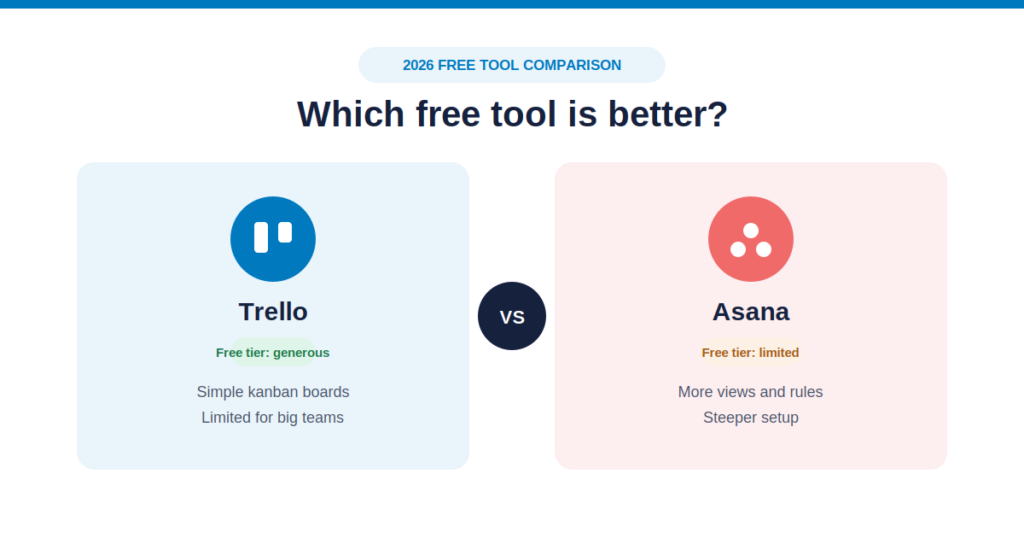
When you are launch-strapped, growing a side hustle, or trying to streamline workflow management across a small digital agency, every dollar counts. Investing in a premium, enterprise-level project tool right out of the gate can create unnecessary overhead before your business model is even fully proven.
This financial reality drives thousands of independent creators, marketing specialists, and small software teams to rely heavily on software-as-a-service free tiers to keep operations humming.
Two iconic platforms dominate the entry-level workspace conversation: Trello and Asana. Both ecosystems have spent years optimizing how teams organize work, assign responsibilities, and hit operational milestones. However, recent product structural changes have fundamentally altered how much utility you can actually extract from their free plans.
If you are trying to coordinate an extensive content production calendar, scale dynamic search visibility, or organize internal web development cycles without breaking the bank, selecting the wrong platform can trap you behind an unexpected upgrade paywall.
This comprehensive, data-driven breakdown analyzes Trello vs Asana specifically through the lens of their free configurations to help you select the ideal no-cost productivity tool for your team.
The Core Verdict: Which Free Plan Wins?
If you need a quick, decisive roadmap decision based entirely on your team’s size, operational structure, and project complexity:
- Choose Trello’s Free Plan if: You run a small team of 3 to 10 active collaborators, prioritize highly visual drag-and-drop Kanban task tracking, and want to incorporate third-party app connections (like Google Drive or Slack) without paying a penny. Trello remains incredibly generous with its collaborator allowances.
- Choose Asana’s Free Plan if: You are a solo operator, freelancer, or a strict 2-person partnership requiring advanced multi-view context (switching seamlessly between Lists, Boards, and Calendars) and need to map out deep task relationships, without needing to add more team members to your private workspace.
The 2026 Free Plan Shift: What You Must Know First
The software ecosystem has underwent a significant transition regarding free tier viability. The days of software companies offering completely unrestricted, multi-user platforms at zero cost have drawn to a close.
[Free Plan Structural Limits]
Trello ➔ Caps your BOARD count (10 boards max), but allows up to 10 TEAM MEMBERS.
Asana  ➔ Gives you UNLIMITED boards/tasks, but strictly caps your COLLABORATORS (2 users max).
This fundamental difference means your choice isn’t just about interface styling—it’s an operational choice between Data Limitations vs. Human Limitations.
| Evaluation Matrix | Trello Free Plan | Asana Free Plan (Personal) | Winner |
| Max Workspace Collaborators | Up to 10 users per workspace | Strictly capped at 2 users | Trello (By a landslide) |
| Total Boards & Projects | Capped at 10 open boards max | Unlimited projects and tasks | Asana (For data scaling) |
| Task Visualization Layouts | Kanban Board view only (Calendar/Timeline gated) | List View, Kanban Board, and Calendar View | Asana (For view flexibility) |
| App Power-Ups & Integrations | Unlimited free Power-Ups per board | 100+ basic free application extensions | Trello |
| Built-in Workflow Automation | 250 command runs/month (Butler engine) | Gated behind paid Starter tier | Trello |
| Per-File Attachment Limit | 10 MB maximum per file upload | 100 MB maximum per file upload | Asana |
| Task Dependencies | Checklist format only (No dynamic links) | Native structural task linking enabled | Asana |
Trello Free Tier Breakdown: Simple, Visual Kanban Scaling
Trello’s design logic centers around absolute simplicity. The entire application operates like a digital whiteboard covered in sticky notes. Tasks live as Cards, which sit inside vertical Lists, which are housed within horizontal Boards.
The Strengths of Trello Free
The most significant competitive advantage of Trello’s free tier is its collaborator ceiling. While many competitors cut back their free capabilities over the last few years, Trello still allows up to 10 distinct users to collaborate, assign tasks, and comment within a single free Workspace. For small, agile operations, this allows you to onboard your primary staff, key clients, or freelance partners without triggering a monthly bill.
Furthermore, Trello provides Unlimited Free Power-Ups. This means you can integrate custom utilities directly onto your free boards:
- Embedding real-time time trackers (like Clockify or Toggl).
- Linking custom cloud document pathways from Google Drive or Dropbox.
- Syncing communications directly via dedicated Slack bridges.
Trello also includes its native Butler Automation engine on the free tier, granting you 250 command actions per month. You can easily write simple rules like: “When a card is moved into the ‘SEO Review’ list, add the editor icon and set a due date for 48 hours out.”
The Limits of Trello Free
Trello’s free plan enforces a hard boundary of 10 open boards per Workspace. If your agency manages multiple distinct clients or separates content marketing tracking from technical site architecture, you will hit this 10-board ceiling quickly.
Additionally, alternative layouts like Timeline, Gantt, Table, and Map views are completely locked behind their Premium paywall. You are also bound to a tiny 10 MB per-file upload limit, which makes attaching high-res graphics or video formats directly to cards practically impossible without linking out to external cloud drives.
Asana Free Tier Breakdown: Deep, Multi-View Task Architecture
Asana approaches project tracking with a focus on granular control, data relationships, and comprehensive task detail. Even on its entry-level platform, Asana assumes your workflows require deeper tracking than basic drag-and-drop cards provide.
The Strengths of Asana Free
Asana’s free plan (now designated as the Personal Tier) does not limit the volume of data you can construct. You are free to spin up unlimited projects, unlimited tasks, and unlimited message threads.
More importantly, Asana does not restrict your visualization perspectives. While Trello locks you into a single view, Asana Free allows you to jump between three core layouts natively:
- List View: A highly structured, spreadsheet-like breakdown ideal for checking off daily text deliverables.
- Board View: A fully realized Kanban layout that matches Trello’s visual flow.
- Calendar View: A responsive monthly grid that displays overlapping deadlines clearly.
[Asana Free Layout Capabilities]
[List Layout] ➔ Highly detailed rows for content sub-tasks.
[Board Layout] ➔ Quick visual drag-and-drop for asset status.
[Calendar Layout] ➔ Clear monthly overview of all publishing deadlines.
Asana also provides a much healthier 100 MB per-file upload allowance, allowing teams to attach detailed PDF guides or light design briefs directly into task threads easily.
The Limits of Asana Free
The defining constraint of Asana’s free tier is its strict 2-user ceiling per project/team. Asana has repositioned its free version to act as a personal productivity dashboard or a small 2-person workspace.
The exact moment a third team member—whether an additional partner, an external content writer, or an optimization specialist—needs to join your workspace, the free model breaks entirely.
You cannot simply buy one extra seat; Asana mandates a 2-seat minimum package on their paid Starter tier (priced at $10.99/user/month billed annually). This means jumping from 2 users to 3 users instantly translates into an unexpected platform cost of roughly $33 per month, representing a steep upgrade cliff for bootstrapping operations.
Furthermore, all native AI features, automated workflow rules, custom forms, and high-level portfolio reporting dashboards remain heavily gated behind their premium brackets.
Aligning Workspaces with Growth Operations
Whether you deploy a board-centric or list-centric framework, your chosen workspace software must actively support your external growth strategies. Storing internal tracking cards is only useful if those steps connect directly to live assets that generate real-world traffic and business value.
1. High-Velocity Content Execution
If your business scales organic traffic through a high-frequency publication model, you need a workspace that smoothly handles research assets and formatting checkpoints. Trello’s visual cards are excellent for moving copy through editing, while Asana’s native list layout provides deep sub-task controls to track search validation.
To bridge the gap between project planning and fast copy generation, modern content teams frequently pair these tracking spaces with specialized asset creation systems. Incorporating a dedicated Free SEO Blog Writing Tool allows creators to jump straight from keyword research into structured draft formats, optimizing the production cycle before items ever hit your project board.
2. Modern Engine Optimization (GEO)
As modern search platforms pivot heavily toward conversational answers and AI summaries, getting your business discovered requires precise data accuracy and verification tracking. Incorporating specialized AI Visibility Services ensures your web properties are systematically designed to be sourced and cited by leading generative engines.
Tracking these complex brand authority signals requires structured project documentation. For teams balancing advanced documentation wikis alongside standard sprint boards, reading our specialized breakdown on Notion AI vs ClickUp reveals alternative methods for structuring information-dense digital workspaces.
3. Comprehensive Digital Strategy
When expanding a digital presence across international boundaries, project execution needs to be backed by a highly optimized web footprint. Utilizing professional SEO Services ensures your site’s technical foundation is clean and indexable, while expert Content Marketing Services keeps your production boards full of high-value topics.
To maximize conversions from your incoming organic traffic, pairing your internal workflows with robust Website Development Services guarantees that your customer-facing digital platforms remain incredibly fast, responsive, and secure.
Evaluating Complementary Tech Frameworks
As your operations mature past basic task cards, your team will likely integrate advanced copywriting utilities, editing applications, or automation engines into your daily routine. To map out how these adjacent technologies fit alongside your project workspace, consider these detailed platform comparisons:
- Long-Form Copy Engines: Review features and limits in our comprehensive Jasper AI Review.
- Budget Writing Tools: Explore cost-efficient alternatives in the detailed Copy.ai Review.
- Direct Content Showdowns: Analyze output differences by tracking the Jasper AI vs Copy.ai Analysis.
- Advanced Grammar & Editing: Assess real-time proofing tools by reading the comprehensive Grammarly vs QuillBot Comparison.
Step-by-Step: Moving Projects from Asana to Trello
If your team size has just expanded past 2 users and you need to move your existing Asana data over to Trello’s more accommodating 10-user free workspace, follow this clean transition workflow:
1.Export Your Active Asana Projects:Data Export.
Navigate into your core Asana project board. Click the project dropdown header arrow next to the title, choose ‘Export’, and select CSV format to download all task data, dates, and assignees.
2.Construct Your Target Trello Boards:Workspace Preparation.
Open Trello and establish a fresh Workspace. Create matching target boards (up to your 10-board limit) and build matching vertical lists that replicate your old workflow stages (e.g., “To Do,” “In Progress,” “QA Review”).
3.Map CSV Columns via Power-Ups:Data Integration.
Enable a data integration Power-Up (such as the CSV Import tool) on your new Trello board. Upload your Asana file and map the Asana columns (‘Task Name’, ‘Description’, ‘Due Date’) to Trello’s corresponding card attributes.
4.Invite Your Team and Link Assets:Collaborator Onboarding.
Send out system invites to your team members (up to 10 total collaborators). Because Trello Free restricts individual file uploads to 10 MB, connect the Google Drive Power-Up to link larger project briefs directly to their cards.
Summary Action Guide: Making Your Final Choice
To ensure you deploy the most practical free project tool without hitting unexpected workflow bottlenecks, evaluate your team against this final checklist:
- Count Your Immediate Roster: If you have 3 or more team members who need to assign tasks to one another inside a single workspace, Asana Free is mathematically ruled out. You must use Trello.
- Analyze Your Visual Needs: If you find standard Kanban boards limiting and require a structured list format alongside a monthly calendar view to plan out campaign drops, Asana Personal provides the superior interface.
- Audit Your Integration Reliance: If you depend heavily on connecting external time logs or cloud links directly into your task cards, Trello’s unlimited free Power-Ups provide much greater flexibility on a zero-dollar budget.
- To explore expanded task management structures outside of basic Kanban layouts, read our comprehensive ClickUp Review.
- If you want to evaluate time-saving features across paid project management spaces, check out our comparative breakdown on Asana vs ClickUp.
Here are 10 highly optimized, user-intent-focused FAQs comparing the free tiers of Trello and Asana.
They are structured using H3 tags for maximum scannability and keyword relevance, making them ready to drop directly into your content layout.
Trello vs Asana Free Tier: Frequently Asked Questions
Q1: What are the main user collaboration limits on the free plans of Trello and Asana?
Trello’s free plan allows you to collaborate with up to 10 users per Workspace. Asana’s free Personal plan is highly restrictive, capping collaboration at a maximum of 2 users per workspace. If your small team has 3 or more people, Trello is the only viable no-cost option.
Q2: How many projects or boards can I create for free on Trello vs Asana?
Trello restricts free accounts to a maximum of 10 open boards per Workspace. Asana, on the other hand, offers unlimited projects and tasks on its free tier. If you have a two-person team managing dozens of distinct projects, Asana provides more architectural freedom.
Q3: Can I use different views like Calendars or Timelines on the free tiers?
Asana wins clearly on view flexibility, offering List, Board, and Calendar views for free. Trello locks all alternative views (Timeline, Calendar, Table, Dashboard, and Map) behind its paid Premium tier, leaving free users strictly with the standard Kanban board layout.
Q4: Does the Trello or Asana free plan include built-in workflow automation?
Trello includes its Butler automation on the free plan, though it is capped at 250 command runs per Workspace per month. Asana completely excludes its Workflow Builder and automated “Rules” from its free tier, requiring a paid upgrade to access any automation features.
Q5: What are the file storage and attachment limits for free accounts?
Both platforms offer unlimited total storage, but they limit individual file sizes. Asana allows larger file uploads at up to 100MB per file. Trello caps free tier attachments at a much lower 10MB per file, which can be a major roadblock for teams sharing heavy media assets.
Q6: Are integrations (Power-Ups) free to use on Trello and Asana?
Trello allows free users to add unlimited Power-Ups (integrations like Slack, Google Drive, or Jira) to their boards. Asana provides access to over 100 free core integrations on its Personal plan, meaning both platforms connect well with external tools without charging you.
Q7: Can I use AI features on the free version of Trello or Asana?
No. Advanced AI features—such as Trello’s Atlassian Intelligence and Asana’s AI Studio workflow builders—are premium features locked behind their respective paid tiers. You will need to upgrade to access native generative AI capabilities within either ecosystem.
Q8: How do the free tiers handle subtasks and checklists?
Trello offers basic checklists within cards on the free plan, but advanced checklists (assigning specific owners and due dates to individual checklist items) require a paid tier. Asana natively supports full subtasks with distinct assignees and due dates right out of the box on its free tier.
Q9: Can I invite external clients or guests to my free workspace?
On Trello’s free plan, anyone you invite to a board counts toward your hard limit of 10 collaborators. On Asana’s free plan, you are strictly limited to 2 total users, meaning you cannot invite external guests without hitting the upgrade cliff the moment a third person joins.
