
ClickUp Review 2026: Features, Pricing & Pros
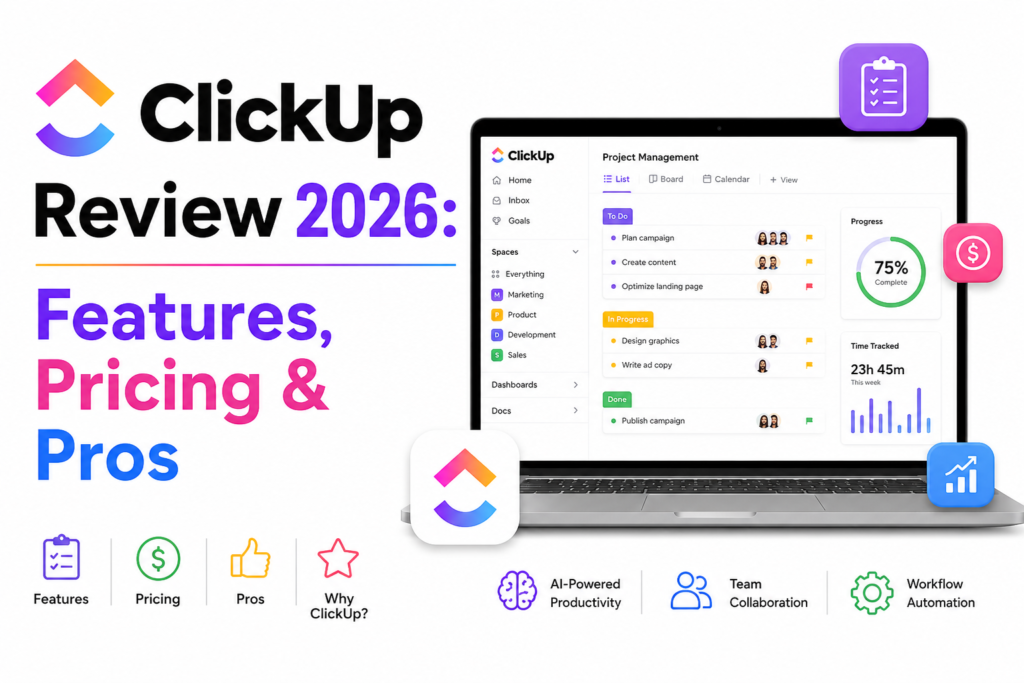
Introduction
Click review managing projects has become increasingly complex as teams work across multiple locations, tools, and time zones. Businesses need more than a simple task manager. They need a platform that combines project planning, collaboration, AI-powered productivity, automation, and reporting in one place.
ClickUp review has positioned itself as an all-in-one productivity platform that promises to replace multiple workplace applications. From task management and documentation to AI-powered writing and workflow automation, it aims to help businesses streamline operations without switching between different tools.
But with strong competition from platforms like Notion, Asana, Monday.com, and Trello, is ClickUp still the best free project management tool in 2026?
In this comprehensive review, we’ll evaluate ClickUp’s latest features, pricing, AI capabilities, performance, security, and real-world use cases. Whether you’re a freelancer, startup, marketing agency, or enterprise organization, this guide will help you decide if ClickUp is the right solution for your team.
ClickUp is one of the best free project management tools available in 2026, offering an impressive combination of task management, AI-powered productivity, workflow automation, document collaboration, dashboards, and reporting. Its generous free plan makes it an excellent choice for startups, small businesses, and marketing teams. However, larger organizations with advanced collaboration needs may benefit from upgrading to a paid plan for additional AI features, automation, and storage.
⭐ Editorial Rating
| Category | Rating |
|---|---|
| Ease of Use | ⭐⭐⭐⭐☆ (4.6/5) |
| AI Features | ⭐⭐⭐⭐⭐ (4.8/5) |
| Project Management | ⭐⭐⭐⭐⭐ (4.9/5) |
| Collaboration | ⭐⭐⭐⭐⭐ (4.8/5) |
| Automation | ⭐⭐⭐⭐⭐ (4.9/5) |
| Value for Money | ⭐⭐⭐⭐⭐ (4.8/5) |
| Overall Rating | ⭐⭐⭐⭐⭐ 4.8/5 |
What Is ClickUp?
ClickUp is a cloud-based project management and productivity platform designed to help teams manage tasks, projects, documents, goals, communication, and workflows from a single workspace. Originally launched as a task management tool, it has evolved into a comprehensive work management solution with built-in AI capabilities.
Unlike traditional project management software, ClickUp combines multiple productivity tools into one platform, reducing the need to switch between separate applications for documentation, collaboration, reporting, and task tracking.
Today, millions of professionals across industries use ClickUp to manage projects more efficiently, whether they are coordinating marketing campaigns, software development, sales pipelines, or client work.
Key Capabilities of ClickUp
- Task and project management
- ClickUp Brain AI for content generation and task summaries
- Document creation with ClickUp Docs
- Workflow automation
- Whiteboards for visual collaboration
- Time tracking and workload management
- Dashboards and reporting
- Goal tracking and OKRs
- Team chat and collaboration
- Extensive integrations with popular business tools
These features make ClickUp suitable for businesses of all sizes, from freelancers to large enterprises looking to centralize their operations.
Who Should Use ClickUp?
ClickUp is particularly well suited for:
- Marketing agencies managing multiple client campaigns
- SEO teams tracking content production and keyword strategies
- SaaS companies coordinating product launches
- Remote and hybrid teams
- Startups seeking an affordable all-in-one platform
- Enterprises requiring scalable workflow automation
For marketing teams looking to combine efficient project management with stronger online visibility, Digehub’s SEO Services and Content Marketing Services can help maximize the impact of AI-powered workflows.
Why ClickUp Is Popular in 2026
ClickUp continues to gain popularity because it integrates AI, automation, and project management into a single platform. The introduction of ClickUp Brain has further enhanced productivity by helping users summarize tasks, generate content, answer questions, and automate routine work.
Its flexible customization options, competitive pricing, and generous free plan make it one of the strongest choices for businesses that want to simplify project management without investing in multiple software subscriptions.
ClickUp Features: Why It Stands Out in 2026
ClickUp has evolved far beyond a traditional task management tool. In 2026, it combines project management, collaboration, AI, documentation, and workflow automation into one platform, helping businesses reduce tool overload and improve team productivity.
Whether you’re managing a small marketing team or coordinating enterprise-level projects, ClickUp provides flexible features that adapt to different workflows.
1. ClickUp Brain AI
One of the biggest highlights of ClickUp in 2026 is ClickUp Brain, an AI assistant designed to simplify everyday work. Instead of switching between AI writing tools and project management software, teams can generate content, summarize meetings, create task descriptions, and retrieve workspace information without leaving ClickUp.
Key capabilities include:
- AI-generated task summaries
- Blog and email drafting
- Meeting note summaries
- Knowledge retrieval
- Content brainstorming
- Workflow recommendations
For teams focused on improving visibility in AI-powered search engines like ChatGPT, Gemini, and Perplexity, combining ClickUp Brain with Digehub’s AI Visibility Services can help create content that performs across both traditional search engines and AI platforms.
2. Advanced Task Management
Task management remains ClickUp’s biggest strength.
Users can organize work using:
- List View
- Board View
- Calendar View
- Timeline View
- Gantt Charts
- Mind Maps
- Workload View
Unlike many competitors, ClickUp allows each team member to choose the view that best matches their workflow without affecting the overall project structure.
Marketing agencies, software teams, HR departments, and operations teams can all collaborate inside one workspace while maintaining their preferred project views.
3. ClickUp Docs
ClickUp Docs eliminates the need for separate documentation software.
Teams can create:
- SOPs
- Marketing briefs
- Content calendars
- Client proposals
- Product documentation
- Internal knowledge bases
Marketing teams managing large volumes of SEO content often combine ClickUp Docs with a structured content strategy. Businesses aiming to increase organic traffic can strengthen those workflows with Digehub’s Content Marketing Services.
4. Workflow Automation
ClickUp offers one of the most advanced automation engines in the project management industry.
Examples include:
- Automatically assign new tasks
- Change statuses based on project progress
- Send reminders
- Notify stakeholders
- Trigger recurring workflows
- Automate approvals
Instead of manually updating projects every day, teams can automate repetitive processes and focus on high-value work.
Organizations looking to build custom AI-driven workflows beyond ClickUp can also explore Digehub’s AI Automation Services.
5. Dashboards & Reporting
Managers need visibility into project performance, and ClickUp delivers through customizable dashboards.
You can monitor:
- Team workload
- Campaign progress
- Task completion
- Time tracking
- Productivity trends
- Goal achievement
This makes ClickUp particularly useful for agencies managing multiple client projects simultaneously.
Marketing Team Use Cases
ClickUp is widely used by digital marketing teams because it supports every stage of campaign planning and execution.
Content Planning
Marketing teams can build editorial calendars, assign writers, monitor publishing schedules, and track campaign performance from a single workspace.
For businesses looking to improve content quality and search visibility, Digehub’s SEO Services help align content production with long-term organic growth strategies.
If you’re creating AI-assisted blog content, you can also use Digehub’s Free SEO Blog Writing Tool to generate optimized outlines before drafting articles.
SEO Workflow Management
SEO campaigns involve keyword research, content creation, technical audits, link building, and performance reporting.
ClickUp allows SEO teams to:
- Manage keyword research
- Track content production
- Monitor publishing deadlines
- Assign technical SEO fixes
- Collaborate with developers
- Review monthly reports
If you’re comparing AI-powered productivity tools for SEO teams, you may also find these related articles helpful:
Campaign Management
Marketing campaigns often involve multiple stakeholders.
ClickUp enables teams to:
- Assign responsibilities
- Set milestones
- Track approvals
- Monitor campaign timelines
- Share creative assets
- Generate progress reports
This reduces communication gaps and improves project delivery.
Client Management
Agencies can create separate workspaces for each client while keeping all communication, tasks, files, and reports organized.
This makes ClickUp a practical solution for agencies managing multiple accounts at once.
For businesses expanding into international markets, Digehub offers localized digital marketing services tailored to the USA, UK, Canada, and Australia
AI Content Collaboration
While ClickUp Brain is useful for drafting and summarizing content, dedicated AI writing tools may offer additional capabilities for long-form content creation.
If you’re evaluating AI writing platforms, these comparisons provide useful insights:
ClickUp vs Competitors: Which Project Management Tool Should You Choose?
The project management software market is more competitive than ever in 2026. While ClickUp is a powerful all-in-one platform, it may not be the perfect fit for every business. Your choice depends on factors like team size, workflow complexity, AI requirements, and budget.
ClickUp vs Notion AI
| Feature | ClickUp | Notion AI |
|---|---|---|
| Best For | Project & Task Management | Documentation & Knowledge Management |
| AI Writing | ✅ Yes | ✅ Excellent |
| Task Management | ⭐⭐⭐⭐⭐ | ⭐⭐⭐⭐☆ |
| Workflow Automation | ⭐⭐⭐⭐⭐ | ⭐⭐⭐⭐☆ |
| Dashboards | ✅ Advanced | Limited |
| Time Tracking | ✅ Built-in | ❌ No |
| Knowledge Base | Good | Excellent |
| Collaboration | Excellent | Excellent |
| Free Plan | Yes | Yes |
Winner: ClickUp is the better choice for businesses that require advanced task management, automation, and reporting. Notion AI is ideal for teams focused on documentation, content creation, and knowledge management.
You can also read our complete Notion AI Review
ClickUp vs Asana
Asana is known for its clean interface and ease of use, making it a popular choice for small teams. However, ClickUp offers more advanced customization, AI-powered features, and built-in documentation.
Choose ClickUp if you need:
- AI-powered productivity
- Advanced reporting
- Custom workflows
- Whiteboards
- Docs
- Time tracking
- Budget-friendly scalability
ClickUp vs Monday.com
Monday.com focuses heavily on visual workflows and team collaboration.
ClickUp stands out by offering:
- More powerful AI capabilities
- Better workflow automation
- Richer reporting
- Greater flexibility
- More customization options
Marketing agencies and growing businesses often prefer ClickUp because it combines multiple tools into one workspace.
ClickUp vs Trello
Trello remains one of the easiest project management tools to learn, but it lacks many of the advanced capabilities found in ClickUp.
If your team needs:
- AI assistance
- Automation
- Time tracking
- Advanced reporting
- Enterprise scalability
ClickUp review provides significantly more functionality.
Best Alternatives to ClickUp
Although ClickUp review is one of the strongest project management platforms available, some businesses may benefit from alternatives depending on their workflow.
1. Notion AI
Best for:
- Documentation
- Knowledge management
- AI writing
- Internal wikis
Perfect for startups and content-driven teams.
2. Asana
Best for:
- Small teams
- Marketing campaigns
- Task tracking
- Simplicity
3. Monday.com
Best for:
- Visual project planning
- CRM workflows
- Sales teams
- Enterprise collaboration
4. Trello
Best for:
- Personal productivity
- Small projects
- Kanban workflows
- Beginners
5. Microsoft Planner
Best for organizations already using Microsoft 365.
Expert Insight
No single project management platform is perfect for every business.
From our perspective, ClickUp review delivers the greatest value for organizations looking to consolidate project management, documentation, collaboration, reporting, and AI-powered productivity into one platform.
However, if your primary focus is content creation and knowledge management, Notion AI may offer a more intuitive experience.
The best choice depends on your team’s workflows, collaboration style, and long-term business goals.
Future Trends in AI Project Management
Artificial intelligence is rapidly transforming how businesses plan, execute, and monitor projects.
Over the next few years, we expect project management platforms like ClickUp review to evolve in several key areas.
1. Autonomous AI Assistants
AI will move beyond simple writing assistance to automatically organize projects, prioritize work, assign tasks, and recommend deadlines based on team capacity.
2. Predictive Project Planning
Instead of reacting to delays, AI will predict risks before they happen by analyzing workloads, dependencies, and historical performance.
3. Smarter Workflow Automation
Future AI systems will create workflows automatically based on project objectives, reducing manual setup and repetitive administrative work.
Businesses looking to implement AI-powered workflows beyond project management can also explore Digehub’s AI Automation Services
4. AI Search Optimization
As AI-powered search platforms such as ChatGPT, Gemini, and Perplexity continue to grow, businesses will need content that is optimized not only for Google but also for AI-generated answers.
Digehub’s AI Visibility Services help brands improve discoverability across modern AI search experiences.
5. Unified Digital Workspaces
The future belongs to platforms that combine:
- Project management
- Documentation
- AI
- Communication
- Reporting
- Automation
ClickUp review is already moving in this direction, making it a strong long-term investment for businesses seeking an all-in-one productivity platform.
Conclusion
ClickUp review continues to be one of the best free project management tools in 2026, offering a powerful combination of task management, AI assistance, automation, collaboration, and reporting. Its generous free plan makes it an excellent choice for freelancers, startups, marketing teams, and growing businesses, while paid plans unlock advanced AI and enterprise features.
If your goal is to centralize projects, improve team productivity, and reduce the number of tools your organization relies on, ClickUp is a strong investment. However, if your primary focus is AI writing and knowledge management, you may also want to compare it with Notion AI before making a decision.
Frequently Asked Questions (FAQs)
1. Is ClickUp free to use?
Yes. ClickUp review offers a free plan that includes unlimited tasks, collaborative documents, whiteboards, and several project views. Advanced AI capabilities, automation limits, and premium features are available through paid plans.
2. Is ClickUp better than Notion AI?
It depends on your needs. ClickUp review is better for project management, workflow automation, and team collaboration, while Notion AI excels at documentation, note-taking, and AI-assisted writing.
3. What is ClickUp Brain?
ClickUp Brain is the platform’s built-in AI assistant that helps users summarize tasks, generate content, answer workspace questions, and automate routine work.
4. Is ClickUp suitable for marketing teams?
Absolutely. Marketing teams can use ClickUp to manage content calendars, SEO campaigns, social media planning, client projects, and cross-functional collaboration, making it an excellent choice for agencies and in-house teams.
5. Can ClickUp help with SEO workflows?
Yes. ClickUp allows SEO professionals to organize keyword research, assign content tasks, monitor publishing schedules, and track campaign performance.
6. Is ClickUp secure for businesses?
Yes. ClickUp offers enterprise-grade security, including data encryption, two-factor authentication (2FA), role-based permissions, and compliance with industry standards.
7. What are the biggest advantages of ClickUp?
Some of the biggest advantages include:
- Comprehensive project management
- Built-in AI assistant
- Powerful workflow automation
- Collaborative Docs and Whiteboards
- Extensive integrations
- Generous free plan
8. Which industries benefit most from ClickUp?
ClickUp is widely used across marketing agencies, software development, IT services, consulting firms, education, HR, finance, startups, and enterprise organizations that require efficient collaboration and project tracking.
9. What are the best ClickUp alternatives?
Popular alternatives include:
- Notion AI
- Asana
- Monday.com
- Trello
- Microsoft Planner
- Jira (for software development)
If you’re comparing AI-powered productivity tools, you may also find these reviews helpful:
10. Is ClickUp worth it in 2026?
Yes. ClickUp remains one of the best-value project management platforms in 2026. Its combination of AI-powered productivity, customizable workflows, collaboration tools, and affordable pricing makes it suitable for individuals, startups, agencies, and enterprises alike.
