
Notion AI Review 2026: Features, Pricing, Pros & Cons
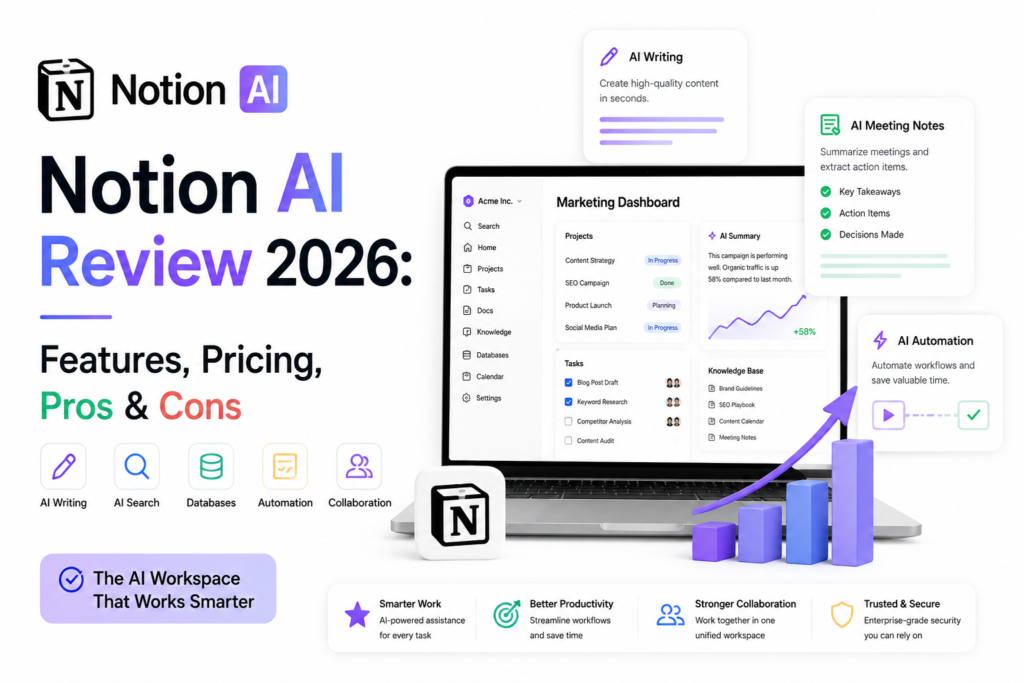
Artificial intelligence has transformed the way marketing teams plan campaigns, create content, manage projects, and collaborate across departments. Instead of switching between multiple tools for writing, documentation, task management, and brainstorming, many businesses are now looking for an all-in-one AI-powered workspace.
That’s exactly where Notion AI positions itself.
Originally known as a flexible note-taking and workspace platform, Notion has evolved into an intelligent productivity hub by integrating AI across documentation, project management, enterprise search, meeting notes, and workflow automation. For startups, agencies, SaaS companies, and enterprise marketing teams, the promise is simple: work faster without sacrificing quality.
But with strong competition from ChatGPT, Microsoft Copilot, ClickUp AI, Google Workspace AI, Jasper AI, and Copy.ai, is Notion AI still the best choice in 2026?
To answer that, we spent time evaluating its latest features, usability, AI capabilities, collaboration tools, pricing, and real-world marketing applications. This review goes beyond feature lists to help you determine whether Notion AI genuinely improves productivity or simply adds another AI tool to your stack.
Is Notion AI worth it in 2026?
Yes, for most marketing teams, agencies, and growing businesses, Notion AI remains one of the strongest AI-powered workspaces available. It combines AI writing, knowledge management, project planning, meeting summaries, document generation, and enterprise search within a single platform.
Unlike standalone AI writing tools, Notion AI focuses on helping teams organize information and collaborate efficiently while reducing repetitive work.
Editorial Rating
| Category | Rating |
|---|---|
| AI Features | ⭐⭐⭐⭐⭐ (4.8/5) |
| Ease of Use | ⭐⭐⭐⭐⭐ (4.7/5) |
| Collaboration | ⭐⭐⭐⭐⭐ (4.9/5) |
| AI Writing | ⭐⭐⭐⭐☆ (4.6/5) |
| Project Management | ⭐⭐⭐⭐⭐ (4.8/5) |
| Value for Money | ⭐⭐⭐⭐⭐ (4.8/5) |
Overall Rating: ⭐ 4.8/5
Best For
- Marketing teams
- Content marketers
- SEO professionals
- Agencies
- SaaS companies
- Remote teams
- Startups
- Enterprise knowledge management
What Is Notion AI?
Notion AI is an AI-powered assistant built directly into the Notion workspace. Instead of acting as a separate chatbot, it enhances your existing documents, databases, wikis, project boards, and notes with intelligent features that streamline everyday work.
Its goal isn’t just to generate text. It helps teams think, organize, search, summarize, automate, and collaborate more effectively.
Today, Notion AI serves as a central hub where businesses can:
- Create marketing content
- Organize company knowledge
- Summarize meetings
- Build project roadmaps
- Plan campaigns
- Search across connected documents
- Manage client information
- Automate repetitive documentation tasks
Rather than replacing tools like ChatGPT or Jasper AI, Notion AI integrates AI into your daily workflow, reducing the need to constantly switch between applications.
What’s New in Notion AI (2026 Updates)
Notion has continued investing heavily in AI throughout 2026. The platform has evolved far beyond AI writing by introducing features designed for larger teams and enterprise collaboration.
AI Meeting Notes
One of the most valuable additions is AI-powered meeting documentation.
Instead of manually writing minutes, Notion AI automatically generates:
- Meeting summaries
- Key decisions
- Action items
- Follow-up tasks
- Assigned responsibilities
This significantly reduces administrative work after client meetings and internal discussions.
Enterprise AI Search
Finding information across hundreds of documents used to be one of the biggest productivity challenges.
The new Enterprise Search feature allows users to ask natural language questions such as:
“Show me the latest SEO strategy for our healthcare client.”
Instead of searching folders manually, Notion AI retrieves relevant information instantly.
AI Connectors
Teams can now connect Notion AI with multiple business tools, allowing AI to access information across different platforms instead of working inside isolated documents.
This creates a much more unified knowledge management experience.
Smarter AI Writing
Writing assistance has improved considerably.
The AI now understands:
- Brand tone
- Existing documentation
- Context from previous pages
- Project-specific terminology
The generated content feels far more relevant than earlier versions.
Better Database Intelligence
Notion databases have become significantly smarter.
AI can now:
- Generate database entries
- Categorize information
- Recommend properties
- Create summaries
- Suggest next actions
For marketing teams managing hundreds of campaigns, this saves considerable manual effort.
Key Features
AI Writing
Writing remains one of Notion AI’s most widely used capabilities.
It can help generate:
- Blog outlines
- Product descriptions
- Landing page copy
- Marketing emails
- Social media captions
- Campaign ideas
- SOP documentation
- Internal reports
- Content briefs
For marketers, the biggest advantage is that the AI writes directly within the workspace where campaigns are already planned.
Unlike switching between multiple AI tools, everything remains centralized.
If your primary goal is long-form copy generation, you may also want to compare dedicated writing assistants such as Jasper AI Review 2026, Copy.ai Review 2026, and Jasper AI vs Copy.ai These tools offer specialized content-generation workflows that complement Notion AI.
AI Meeting Notes
Marketing teams spend countless hours documenting meetings.
Notion AI automates this process by creating:
- Executive summaries
- Key discussion points
- Action items
- Deadlines
- Task assignments
Instead of spending thirty minutes cleaning meeting notes, teams can focus on execution.
AI Search
Search has become one of Notion AI’s strongest capabilities.
Users simply ask questions like:
- Where is our latest content calendar?
- Show all SEO documentation.
- Find campaign briefs for Product X.
- What tasks are overdue this week?
The AI returns relevant answers almost instantly.
For growing organizations with thousands of documents, this alone can save hours every week.
AI Databases
Databases remain one of Notion’s defining strengths.
Combined with AI, they become powerful operational systems.
Marketing teams can build:
- Editorial calendars
- Lead management systems
- CRM dashboards
- Campaign trackers
- Keyword databases
- Client portals
- Competitor research libraries
- Content inventories
AI helps populate, summarize, and organize these databases automatically.
AI Automation
Notion AI reduces repetitive work by assisting with:
- Task creation
- Documentation
- Status updates
- Content summaries
- Workflow recommendations
- Project planning
Although it isn’t a full automation platform, it removes a significant amount of manual administration.
AI Knowledge Management
Most businesses struggle because valuable knowledge is scattered across emails, chats, documents, and spreadsheets.
Notion AI centralizes this information into an easily searchable knowledge base.
Marketing teams can document:
- SEO processes
- Brand guidelines
- Client SOPs
- Sales playbooks
- Content frameworks
- Internal training
- Product documentation
This becomes increasingly valuable as organizations grow.
AI Templates
Notion offers an extensive collection of templates, and AI enhances them by generating content based on your project context.
Popular templates include:
- Content Calendar
- Marketing Campaign Planner
- Editorial Workflow
- Product Launch Checklist
- Agency Client Portal
- Weekly Sprint Board
- Knowledge Base
- Meeting Notes
- OKR Dashboard
- CRM
Instead of starting with a blank page, teams can launch structured workflows in minutes.
AI Project Planning
Project planning is another area where Notion AI excels.
It assists with:
- Breaking large projects into tasks
- Creating timelines
- Assigning responsibilities
- Tracking milestones
- Identifying blockers
- Generating project summaries
For agencies managing multiple client campaigns, this feature significantly improves visibility across teams.
AI Writing Section
While Notion AI speeds up content creation, publishing content that ranks consistently requires more than AI-generated text. A strong content strategy, search intent optimization, and topical authority still play a critical role. Businesses looking to scale high-quality content can complement Notion AI with Content Marketing Services. If you’re planning your next article, Digehub’s Free SEO Blog Writing Tool is a useful starting point for generating SEO-friendly blog structures and outlines.
How Notion AI Works
Using Notion AI is straightforward because it’s integrated directly into the workspace rather than existing as a separate application.
A typical workflow looks like this:
- Create or open a page in Notion.
- Use AI prompts to draft content, summarize information, or brainstorm ideas.
- Organize content into databases, project boards, or documentation.
- Collaborate with teammates in real time.
- Use AI Search to retrieve information instantly.
- Generate meeting summaries and action items automatically.
- Continuously refine content using AI suggestions while maintaining human oversight.
SEO Section
Notion AI can organize keyword research, content briefs, and editorial calendars, but ranking on Google requires technical optimization, internal linking, schema implementation, and authority building. Pairing AI-assisted workflows with professional SEO Services helps transform well-written content into pages that attract consistent organic traffic.
AI Search Section
As AI-powered search platforms like ChatGPT, Perplexity, and Gemini become part of everyday research, businesses need content that’s optimized not only for traditional search engines but also for AI-generated answers. Digehub’s AI Visibility Services help brands improve discoverability across these emerging AI search experiences.
AI Automation Section
Notion AI reduces repetitive work inside your workspace, but organizations often achieve greater efficiency by connecting AI with broader business processes. AI Automation Services can help automate marketing, sales, and operational workflows beyond a single platform.
Website Performance Section
Even the best AI-generated content won’t perform if your website suffers from slow loading times, poor navigation, or technical SEO issues. Combining AI-powered content creation with professional Website Development Services creates a stronger foundation for long-term digital growth.
Final Verdict
Notion AI is one of the best AI workspaces available in 2026 for marketing teams, agencies, startups, and businesses looking to streamline content creation, collaboration, and project management. Its AI-powered writing, knowledge management, meeting summaries, and workflow automation make it a valuable all-in-one productivity platform.
While it may not replace specialized AI writing tools like Jasper AI or ChatGPT for every use case, it excels as a centralized workspace that keeps teams organized and productive.
Whether your team operates in the USA, Canada, Australia, or the UK, choosing the right AI-powered project management platform is only part of the equation. Combining the right technology with localized digital marketing strategies can significantly improve productivity, customer engagement, and business growth. Explore our dedicated services for businesses in the USA, Canada, Australia, and the UK to build a stronger digital presence in your target market.
Frequently Asked Questions (FAQs)
1. Is Notion AI worth it in 2026?
Yes, Notion AI is worth considering in 2026, especially for marketing teams, agencies, startups, and businesses that want an all-in-one AI workspace. It combines AI writing, project management, knowledge management, meeting summaries, and collaboration features, helping teams streamline workflows and improve productivity.
2. What can Notion AI do?
Notion AI can generate content, summarize documents and meetings, answer questions using your workspace data, organize databases, create project plans, brainstorm ideas, translate text, and automate repetitive documentation tasks. It’s designed to enhance collaboration and productivity within the Notion workspace.
3. Is Notion AI better than ChatGPT?
It depends on your needs. ChatGPT is better for in-depth conversations, coding assistance, and creative content generation, while Notion AI excels at organizing knowledge, managing projects, summarizing documents, and collaborating within a shared workspace. Many businesses use both tools together for maximum productivity.
4. Can Notion AI help with SEO and content marketing?
Yes. Notion AI can assist with keyword research organization, content briefs, blog outlines, editorial calendars, and first drafts. However, achieving strong search rankings still requires a comprehensive SEO strategy, technical optimization, and high-quality content tailored to user intent.
5. Does Notion AI support team collaboration?
Absolutely. Notion AI is built for collaboration, allowing teams to share documents, manage projects, generate meeting summaries, assign tasks, and maintain a centralized knowledge base. This makes it particularly useful for remote teams and marketing agencies.
6. Is Notion AI free?
Notion offers a free plan with limited AI capabilities. To access advanced AI features, users need a paid subscription. Pricing varies based on the selected plan, such as Plus, Business, or Enterprise, and the number of users.
7. Is Notion AI secure for businesses?
Yes, Notion AI includes enterprise-grade security features such as encryption, permission controls, single sign-on (SSO), and compliance with industry security standards. Organizations handling sensitive data should review Notion’s latest security and privacy policies to ensure they meet internal compliance requirements.
8. What are the best alternatives to Notion AI?
Some of the top alternatives include ChatGPT for conversational AI, ClickUp AI for project management, Microsoft Copilot for Microsoft 365 users, Google Workspace AI for Google ecosystem users, Jasper AI for long-form content creation, and Copy.ai for marketing copy. The best choice depends on your workflow and business requirements.
9. Who should use Notion AI?
Notion AI is ideal for content marketers, SEO professionals, digital agencies, startups, SaaS companies, project managers, remote teams, and enterprises looking to centralize documentation, improve collaboration, and automate repetitive tasks within a single workspace.
10. Can Notion AI replace multiple productivity tools?
For many teams, yes. Notion AI can replace separate note-taking apps, documentation platforms, knowledge bases, simple project management tools, and basic AI writing assistants. However, businesses with highly specialized requirements may still benefit from dedicated tools for advanced content generation, design, analytics, or automation.
Frequently Asked Questions (FAQs)
1. Is Notion AI worth it in 2026?
Yes, Notion AI is worth considering in 2026, especially for marketing teams, agencies, startups, and businesses that want an all-in-one AI workspace. It combines AI writing, project management, knowledge management, meeting summaries, and collaboration features, helping teams streamline workflows and improve productivity.
2. What can Notion AI do?
Notion AI can generate content, summarize documents and meetings, answer questions using your workspace data, organize databases, create project plans, brainstorm ideas, translate text, and automate repetitive documentation tasks. It’s designed to enhance collaboration and productivity within the Notion workspace.
3. Is Notion AI better than ChatGPT?
It depends on your needs. ChatGPT is better for in-depth conversations, coding assistance, and creative content generation, while Notion AI excels at organizing knowledge, managing projects, summarizing documents, and collaborating within a shared workspace. Many businesses use both tools together for maximum productivity.
4. Can Notion AI help with SEO and content marketing?
Yes. Notion AI can assist with keyword research organization, content briefs, blog outlines, editorial calendars, and first drafts. However, achieving strong search rankings still requires a comprehensive SEO strategy, technical optimization, and high-quality content tailored to user intent.
5. Does Notion AI support team collaboration?
Absolutely. Notion AI is built for collaboration, allowing teams to share documents, manage projects, generate meeting summaries, assign tasks, and maintain a centralized knowledge base. This makes it particularly useful for remote teams and marketing agencies.
6. Is Notion AI free?
Notion offers a free plan with limited AI capabilities. To access advanced AI features, users need a paid subscription. Pricing varies based on the selected plan, such as Plus, Business, or Enterprise, and the number of users.
7. Is Notion AI secure for businesses?
Yes, Notion AI includes enterprise-grade security features such as encryption, permission controls, single sign-on (SSO), and compliance with industry security standards. Organizations handling sensitive data should review Notion’s latest security and privacy policies to ensure they meet internal compliance requirements.
8. What are the best alternatives to Notion AI?
Some of the top alternatives include ChatGPT for conversational AI, ClickUp AI for project management, Microsoft Copilot for Microsoft 365 users, Google Workspace AI for Google ecosystem users, Jasper AI for long-form content creation, and Copy.ai for marketing copy. The best choice depends on your workflow and business requirements.
9. Who should use Notion AI?
Notion AI is ideal for content marketers, SEO professionals, digital agencies, startups, SaaS companies, project managers, remote teams, and enterprises looking to centralize documentation, improve collaboration, and automate repetitive tasks within a single workspace.
10. Can Notion AI replace multiple productivity tools?
For many teams, yes. Notion AI can replace separate note-taking apps, documentation platforms, knowledge bases, simple project management tools, and basic AI writing assistants. However, businesses with highly specialized requirements may still benefit from dedicated tools for advanced content generation, design, analytics, or automation.
