Top 10 USB-C Gadgets That Make Life Easier: Must-Have Accessories You’ll Actually Use
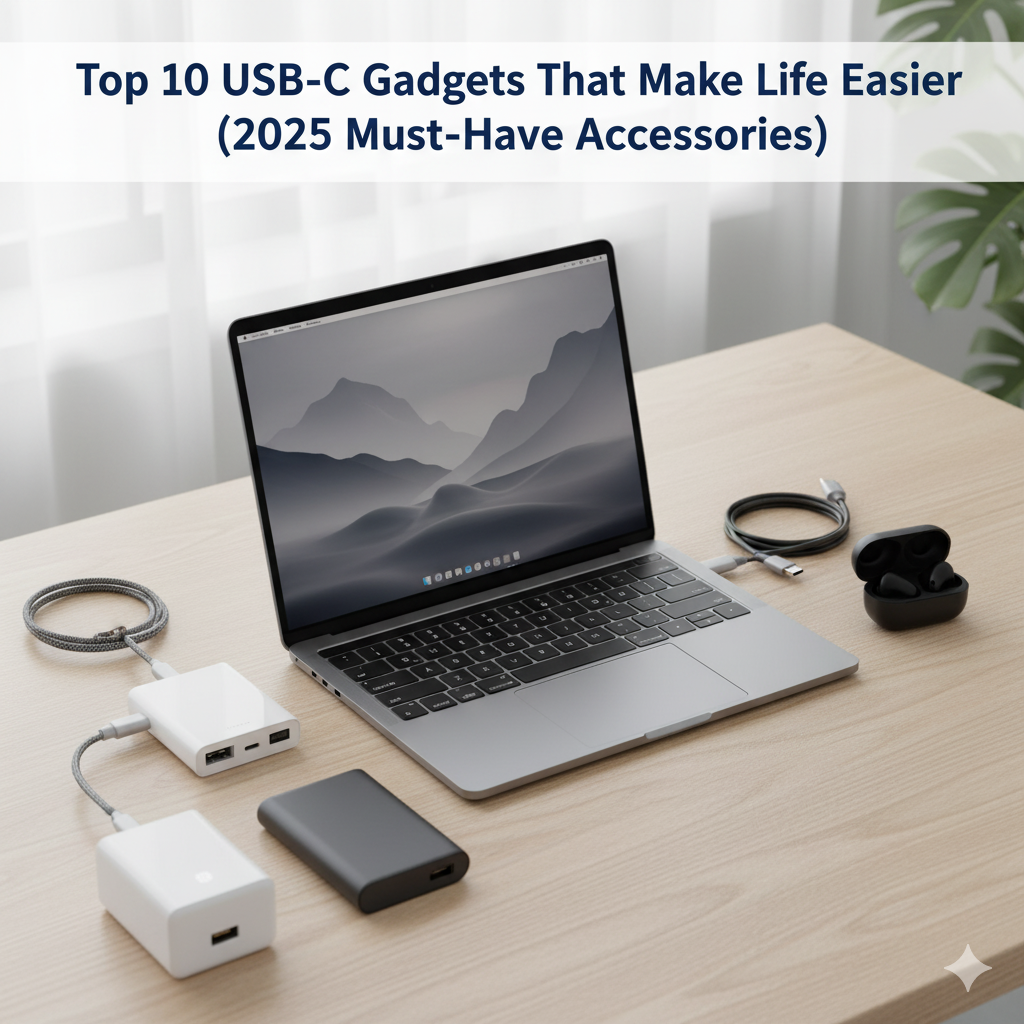
If you’re even a little into tech, you’ve probably noticed how USB-C has taken over everything lately. Phones, laptops, earbuds, chargers – they all moved to this tiny but mighty port. And honestly, it makes sense. One cable for almost everything? That’s a dream for people who hate carrying a bunch of adapters.
This guide is all about the best USB-C gadgets that actually make your life easier. Whether you’re working from a café, traveling with your laptop, or just trying to tidy your messy desk setup, these USB-C tools are going to help you a lot.
Why USB-C Became So Popular
USB-C is not just a “new port.” It’s like the universal language for gadgets now. It can charge faster, transfer data quicker, and even output video on some devices. Plus, it’s reversible – so no more flipping the cable three times before it fits.
Here’s what makes USB-C worth caring about:
- One single cable can charge laptop, phone, and tablet.
- It supports faster charging using Power Delivery (PD).
- Works across brands – Android phones, iPads, MacBooks, everything.
- Keeps setups neat with fewer messy cables.
Alright, now let’s jump into the list of top 10 USB-C gadgets that’ll make your daily routine much easier.
1. USB-C Multi-Port Charging Hub
If you’ve got more than one device, a USB-C hub is the best investment. It lets you plug in multiple devices at once – laptop, phone, maybe your wireless mouse receiver too.
Why it’s great:
It combines HDMI, SD card reader, and USB-A ports into one. Just connect it and your desk suddenly feels clean.
Pros: One hub for everything, easy travel companion.
Cons: Good ones cost a bit extra, and cheaper ones heat up sometimes.
2. USB-C Fast-Charging Wall Adapter
Phones, tablets, even some laptops use the same USB-C port for charging now. But not every charger is made equal.
Why it’s worth it:
A GaN charger (Gallium Nitride) is smaller, runs cooler, and charges faster. Great if you move around a lot.
What to check:
Get one with at least 65W output if you plan to charge a laptop too.
Pros: Super compact and fast.
Cons: Cheaper models don’t give full wattage.
3. USB-C External SSD
If you’re editing videos or just like backing up files quickly, this one’s gold.
Why it matters:
USB-C SSDs are super fast compared to older drives. Plus, they’re tiny enough to slip in your pocket.
Pros: High transfer speed, portable.
Cons: Costlier than normal hard drives.
4. USB-C Earbuds / Headphones
If your phone ditched the headphone jack, you already know the pain. USB-C earbuds solve that.
They plug right in, sound clean, and no need for adapters.
Pros: Works instantly, no charging needed like wireless.
Cons: Not every model supports all devices perfectly.
5. USB-C Laptop
If you’re planning to buy a new laptop, make sure it charges with USB-C. You can then use the same charger for phone and tablet too.
Why it helps:
Reduces cable clutter, and you don’t have to carry heavy brick chargers everywhere.
Pros: Universal charging.
Cons: Some old models charge slow via USB-C.
6. USB-C Hub with HDMI or DisplayPort
Working from home or using multiple screens? A USB-C hub with video output is your best friend.
Why it’s useful:
You plug one cable in your laptop and it connects monitor, mouse, keyboard, everything. Clean and simple.
Pros: Saves time, reduces cables.
Cons: Can heat up during long usage.
7. USB-C Power Bank
Running out of battery during travel is the worst. That’s where USB-C power banks come in.
Why it matters:
They can charge both laptops and phones now, thanks to PD (Power Delivery).
What to look for:
At least 20,000 mAh and 60 W output if you want to juice up bigger devices.
Pros: Perfect for travel.
Cons: Heavy if high capacity.
8. USB-C Cables (Good Ones)
Okay, sounds boring, but don’t cheap out on cables. Not all USB-C cables are same.
Why it’s important:
Some can’t handle high wattage or fast data speeds. And some can even damage devices if poorly made.
Pros: Safer charging and faster transfer.
Cons: Hard to know which are genuine until you try.
9. USB-C Docking Station
If you use a laptop for work, a USB-C docking station can turn it into a full desktop setup.
Why it’s useful:
One plug connects monitor, keyboard, Ethernet, and still charges your laptop.
Pros: Cleaner setup, saves time.
Cons: Expensive but worth it for professionals.
10. USB-C Smart Adapters (Travel Gadgets)
These little gadgets are underrated. From magnetic connectors to compact travel adapters, USB-C has all kinds.
Why it’s cool:
They make life on the go super easy. Plug, charge, and go.
Pros: Compact, practical.
Cons: Some can be overpriced for what they do.
Quick Comparison Table
| Use-Case | Best Gadget | Why It Helps |
|---|---|---|
| Travel a lot | USB-C Power Bank + GaN Charger | Charges all devices fast |
| Work from home | USB-C Docking Station | One cable setup |
| Creators | USB-C SSD | Fast data transfer |
| Everyday user | Multi-Port Hub | Everything in one device |
Pros and Cons of Going Full USB-C
Pros:
- One cable for almost everything.
- Faster data and power.
- Clean and future-proof setup.
- Less mess on your table.
Cons:
- Cheap cables can cause problems.
- Some devices still use old USB ports.
- High-end hubs can be pricey.
Few Smart Tips from My Side
- Always check wattage before buying any USB-C charger or hub.
- If you use multiple USB-C cables, mark them – they don’t all support same speed or wattage.
- Avoid very cheap brands; they might heat up or transfer slow.
- Keep one universal USB-C GaN charger for travel. Saves a lot of space.
Related Reads on PreviewKart.com
You might also like:
- Best Smartwatch vs Fitness Band – Which One’s Worth It?
- AI Gadgets 2026: The Next-Gen Tech to Watch
- Best Drones of 2026: Buyer’s Guide for Beginners
For more in-depth accessory reviews, we also recommend checking trusted sources like TechAdvisor or The Verge.
FAQs
Q1. Are all USB-C cables same?
Not really. Some are for charging only, others also transfer data or video. Always read specs before buying.
Q2. Can USB-C charge a laptop and phone both?
Yes, if the charger supports Power Delivery with enough wattage (like 65W or more).
Q3. Why is my USB-C hub heating up?
That’s common when transferring data or connecting multiple devices. Just make sure it’s not too hot to touch.
Q4. Is USB-C faster than USB-A?
Yes, newer USB-C ports can go up to 10 Gbps or even 40 Gbps (Thunderbolt 4). Much faster than USB-A.
Q5. Should I switch all my accessories to USB-C?
If possible, yes. It’s cleaner, faster, and works with most new devices now.