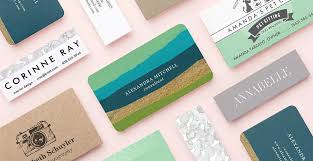
Introduction: The Power of a Well-Designed Business Card
In today’s competitive business landscape, a well-crafted business card is more than just a piece of paper—it’s a reflection of your brand’s identity and professionalism. Whether you’re a freelancer, entrepreneur, or part of a large corporation, your business card serves as a tangible representation of your business. A thoughtfully designed card can make a lasting impression, foster trust, and open doors to new opportunities.
This guide delves into the essential elements of effective business card design, offering practical tips and resources to help you create a card that stands out.
Why Business Card Design Matters
First Impressions Count
Your business card is often the first physical interaction a potential client or partner has with your brand. A unique and professional design can spark interest and set the tone for future interactions.
Brand Consistency
Consistency across all branding materials, including business cards, ensures that your brand message is clear and cohesive. This alignment reinforces your brand’s identity and values.
Networking Advantage
A well-designed business card can serve as a conversation starter, making it easier to connect with others in networking events or meetings.
Key Elements of an Effective Business Card
1. Logo and Branding
Your logo is the cornerstone of your brand’s identity. Ensure it’s prominently displayed and aligns with your overall branding strategy.
2. Contact Information
Include essential details such as:
- Full Name
- Job Title
- Company Name
- Phone Number
- Email Address
- Website URL
- Social Media Handles (if relevant)
3. Design and Layout
Opt for a clean, readable layout. Use fonts and colors that align with your brand’s aesthetics. Ensure there’s a balance between text and white space to avoid clutter.
4. Quality Materials
The paper quality and finish of your business card can convey a message about your brand. Consider using high-quality materials and finishes like matte, glossy, or textured options to enhance the tactile experience.
Design Tips to Make Your Business Card Stand Out
Use High-Quality Images
Ensure any images or graphics are high resolution to maintain clarity and professionalism.
Incorporate Unique Shapes
While traditional rectangular cards are standard, experimenting with different shapes can make your card more memorable.
Utilize Both Sides
Maximize space by using both sides of the card. The front can display your logo and contact information, while the back can include additional details like a tagline or services offered.
Add a Call-to-Action
Encourage recipients to take action by including a call-to-action, such as visiting your website or following your social media profiles.
Tools and Resources for Designing Your Business Card
Canva
Canva offers a user-friendly platform with customizable templates, allowing you to design professional business cards without any design experience. Canva
Vistaprint
Vistaprint provides a wide range of design templates and printing options, catering to various industries and preferences. VistaPrint
Moo
Moo specializes in premium business cards with unique features like Printfinity, enabling different designs on each card. Moo
Best Practices for Printing Your Business Cards
- Choose the Right Paper Stock: Select a paper weight and texture that aligns with your brand’s image.
- Consider Special Finishes: Finishes like embossing, foil stamping, or spot UV coating can add a touch of luxury.
- Proof Before Printing: Always request a proof to ensure colors, fonts, and layouts appear as intended.
- Order in Bulk: Ordering in larger quantities can reduce the cost per card and ensure you have enough stock for networking events.
Call to Action: Start Designing Your Business Card Today
Ready to create a business card that leaves a lasting impression? Explore the tools and resources mentioned above to design a card that reflects your brand’s identity and professionalism.
FAQs
1. What size should my business card be?
The standard size for business cards is 3.5″ x 2″. However, depending on your location and industry, sizes may vary.
2. Should I include a photo on my business card?
Including a photo is optional. If you choose to add one, ensure it’s professional and aligns with your brand’s image.
3. Can I design my business card online?
Yes, platforms like Canva, Vistaprint, and Moo offer online tools to design and print your business cards.
4. How many business cards should I order?
Consider your networking needs and events. Ordering in bulk can reduce the cost per card, but ensure you don’t overstock.
5. What finishes are available for business cards?
Common finishes include matte, glossy, embossed, foil stamped, and spot UV coating. Choose one that complements your brand’s image.