
Best Tablets for Students and Creators in 2026: Top Picks for Study, Drawing, and Productivity
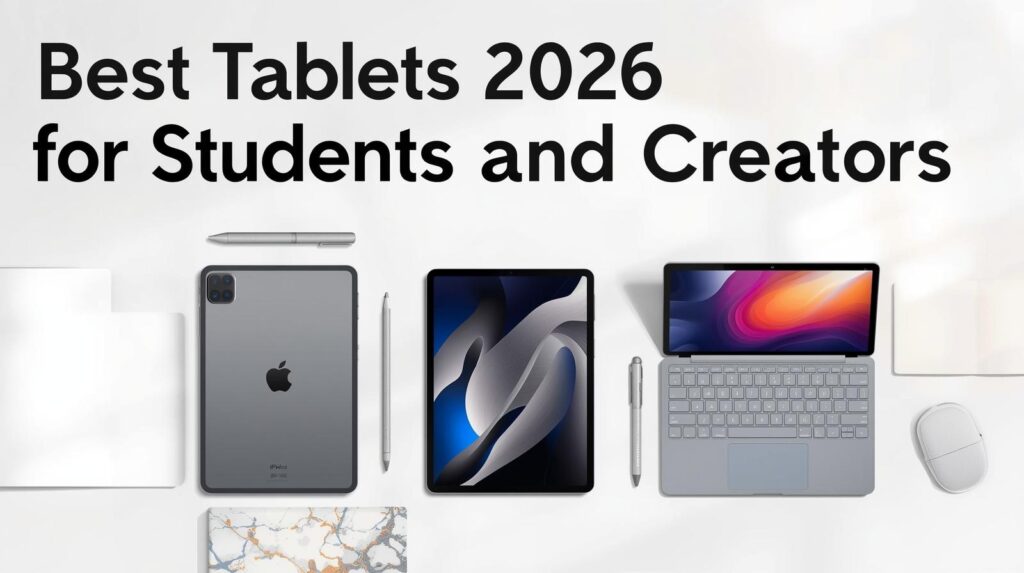
Navigating the Tablet World in 2026
Tablets in 2026 are more than just screens, they’re tools that can really boost productivity, creativity and studying. Whether you’re attending online lectures, sketching digital art, or handling multiple tasks at once, picking the right tablet matters a lot. In this guide, we will explore the best tablets for students and creators, compare their features and help you choose the one which suits your needs best.
Top Tablets for Students and Creators
1. iPad Pro M5: The Powerhouse for Professionals
Apple’s iPad Pro with the M5 chip is very powerful. With a 10-core CPU and 16-core Neural Engine, it gives up to 3.5x faster AI processing and about 45% better graphics than previous generation (apple.com). The iPad also supports Wi-Fi 7 and Bluetooth 6, so staying connected is easy.
Key Features:
- Display: 11-inch or 13-inch Liquid Retina XDR with ProMotion.
- Storage: Up to 2TB.
- Battery Life: Up to 10 hours web surfing.
- Stylus Support: Works with Apple Pencil (2nd gen).
- Operating System: iPadOS 16.
It’s perfect for graphic designing, video editing, and multitasking, making it one of the top choices for creators and professionals alike.
2. Samsung Galaxy Tab S10: A Flexible Android Alternative
Samsung Galaxy Tab S10 series is great for both students and creators. The Tab S10+ and S10 Ultra feature a 14.6-inch Dynamic AMOLED 2X display that offers vibrant colors and strong contrasts (samsung.com). With the latest Snapdragon processors, the tablets run apps smoothly without lag.
Key Features:
- Display: 14.6-inch Dynamic AMOLED 2X.
- Storage: Up to 1TB.
- Battery Life: Up to 16 hours video playback.
- Stylus Support: S Pen included.
- Operating System: Android 14 with One UI 6.
If you like Android’s flexibility and customisation, this is a really solid choice. It’s also very suitable for note-taking, drawing, and streaming lectures.
3. Microsoft Surface Pro 9: The 2-in-1 Productivity Machine
The Surface Pro 9 is perfect if you want a full desktop experience in a tablet. With its detachable keyboard and adjustable kickstand, it works like a laptop wherever you go.
Key Features:
- Display: 13-inch PixelSense Flow.
- Storage: Up to 1TB SSD.
- Battery Life: Up to 10.5 hours.
- Stylus Support: Surface Slim Pen 2.
- Operating System: Windows 11.
It’s ideal for those needing full desktop applications but still want portability.
Quick Comparison Table
| Feature | iPad Pro M5 | Galaxy Tab S10+ | Surface Pro 9 |
|---|---|---|---|
| Display | 11″/13″ Liquid Retina | 14.6″ Dynamic AMOLED 2X | 13″ PixelSense Flow |
| Processor | M5 Chip | Snapdragon 8 Gen 3 | Intel Core i7 |
| Storage | Up to 2TB | Up to 1TB | Up to 1TB SSD |
| Battery Life | Up to 10 hours | Up to 16 hours | Up to 10.5 hours |
| Stylus Support | Apple Pencil 2nd gen | S Pen | Surface Slim Pen 2 |
| OS | iPadOS 16 | Android 14 | Windows 11 |
Pros and Cons
iPad Pro M5
Pros:
- Extremely fast performance with M5 chip.
- Gorgeous display with ProMotion tech.
- Smooth integration with Apple ecosystem.
Cons:
- Quite expensive.
- Limited customisation.
Galaxy Tab S10
Pros:
- Vibrant AMOLED display.
- S Pen included for sketching or note-taking.
- Can expand storage.
Cons:
- Android may not suit everyone.
- Some models feel a bit heavy.
Surface Pro 9
Pros:
- Desktop-like experience with Windows 11.
- Versatile 2-in-1 design.
- Runs wide range of software.
Cons:
- Heavier than most tablets.
- Keyboard and pen sold separately.
FAQs
1. Which tablet is best for drawing?
The iPad Pro M5 and Galaxy Tab S10+ are top for artists because of their stylus support and display quality.
2. Are these tablets good for online classes?
Yes, all these tablets support video calls and educational apps, making them perfect for studying.
3. Which has best battery life?
Galaxy Tab S10+ leads with up to 16 hours, while the others last around 10–10.5 hours.
4. Can these tablets handle multitasking?
Yes, iPad Pro and Galaxy Tab S10 are great for multitasking, but Surface Pro 9 feels more like a real laptop experience.
5. Which one is most value for money?
Galaxy Tab S10 FE is the best balance between features and affordability for students.