
Notion vs Obsidian: Which Is Better in 2026?
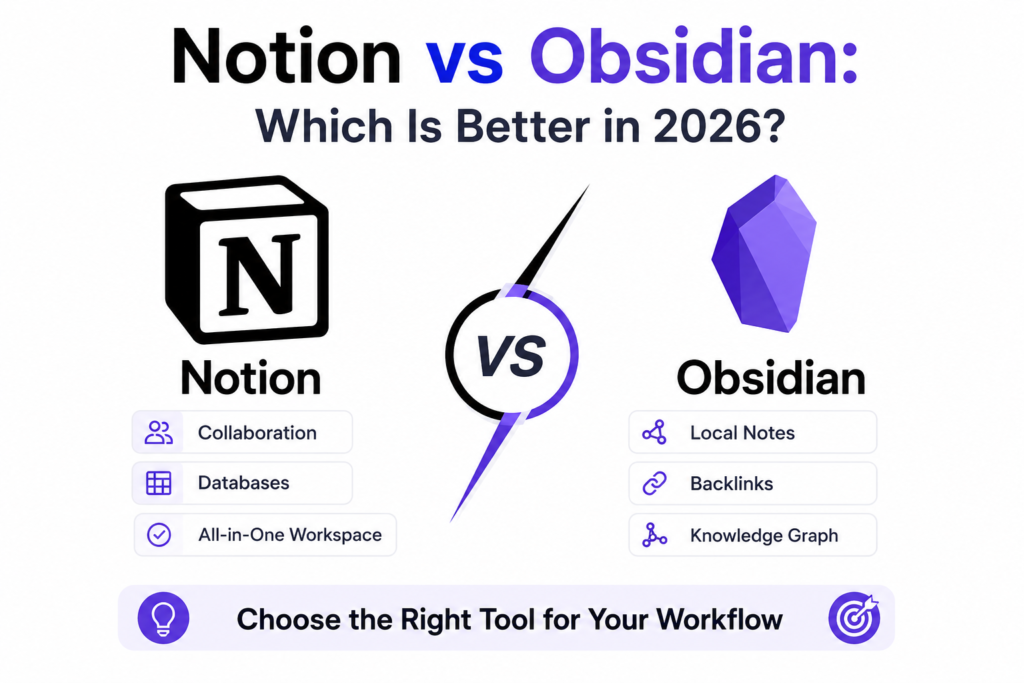
Choosing the definitive anchor for your digital ecosystem has never been more critical. As we advance through 2026, the landscape of Personal Knowledge Management (PKM) has split into two distinct operational philosophies.
On one side stands Notion, which has evolved from a collaborative database hub into a hyper-connected, cloud-first platform powered by automated multi-agent networks. On the other side is Obsidian, which both Notion vs Obsidian has solidified its reputation as the ultimate privacy-first, local-first “Second Brain,” supercharged by an ultra-fast markdown layout and its massive community plugin directory.
The choice between Notion vs Obsidian is no longer just about comparing simple features; it is about choosing how your data is stored, processed, and scaled.
This comprehensive technical comparison tears down both systems across real-world deployment parameters to help you decide which tool deserves to run your knowledge infrastructure this year.
If you’re still exploring the best productivity software, you may also want to read our Notion AI vs ClickUp: Which Project Management Tool Is Better? comparison. It explains how Notion compares with a task-focused platform, while this guide focuses on Notion vs Obsidian for note-taking and personal knowledge management.
Technical Architecture: Cloud Workspace vs. Local-First Vault
The fundamental divergence between these two productivity giants lies deep within their foundational storage patterns.
NOTION ARCHITECTURE (Cloud-First & Centralized)
┌──────────────┐      ┌────────────────┐      ┌──────────────────┐
│  Client UI   │ ───► │  Notion Cloud  │ ───► │ Central Database │
│ (Web/Mobile) │ ◄─── │ (Sync Engine)  │ ◄─── │  (Hosted Server) │
└──────────────┘      └────────────────┘      └──────────────────┘

OBSIDIAN ARCHITECTURE (Local-First & Decoupled)
┌──────────────┐      ┌────────────────┐      ┌──────────────────┐
│ Obsidian App │ ───► │ Local MD Files │ ───► │ Your Hardware /  │
│ (Local IDE)  │ ◄─── │ (.md Directory)│ ◄─── │ Encrypted Backup │
└──────────────┘      └────────────────┘      └──────────────────┘
Notion’s Ecosystem
Notion handles data using a centralized, cloud-hosted block architecture. Every single element—whether it is a paragraph, an H4 header, an image, or an embedded database row—is treated as an isolated database block.
This allows you to drag, drop, and link data structures across your entire workspace effortlessly. However, this framework requires an active internet connection for real-time synchronization, making it heavily reliant on Notion’s servers.
Obsidian’s Ecosystem
Obsidian functions as a local integrated development environment (IDE) that sits directly on top of a local directory of plain-text Markdown (.md) files. Your notes are not locked inside a proprietary cloud system; they live completely on your device’s hard drive.
Obsidian utilizes standard Markdown formatting, ensuring your documents remain completely future-proof and readable by any basic text editor even if the app itself ceases to exist.
AI Capabilities: Multi-Agent Automation vs. Local Privacy
Artificial Intelligence integration has become the primary battleground for knowledge management platforms, and both tools approach automation from completely opposite perspectives.
Notion AI: Multi-Agent Orchestration
Notion has transformed its writing assistant into an enterprise-grade automation workspace. Running on its modern platform updates, Notion vs Obsidian AI now supports shared multi-agent workflows. Users are no longer limited to one-off text prompts; you can deploy an interconnected chain of specialized internal and external AI agents (such as Claude or Cursor) inside a single page interface to automate end-to-end editorial pipelines.
Furthermore, its native workspace engine can switch fluidly between top-tier foundational models like GPT-5.2, Claude 4.5, and Gemini 3 while maintaining total document context.
If your organization relies heavily on AI to build out content frameworks but lacks the internal development resources to script custom API solutions, you can immediately accelerate your workspace assembly by leveraging our dedicated Free SEO Blog Writing Tool. It maps complex semantic structures into clean drafts automatically.
Obsidian AI: Decentralized & Plugin-Driven
True to its local-first philosophy, Obsidian rejects a singular, built-in corporate AI model. Instead, it relies on its open-source community. Through the newly revamped Obsidian Community infrastructure, users can install local plugins that connect directly to privacy-centric models via local Ollama instances or secure API keys stored safely inside the app’s native keychain.
This gives you absolute control over your information. Your private thoughts, proprietary research, and internal company strategies are never used to train public LLMs.
Database Management: Dynamic Blocks vs. The Power of “Bases”
Structuring, sorting, and filtering data effectively is a non-negotiable requirement for high-performance knowledge management.
Notion’s Relational Database Engine
Notion has long been the gold standard for visual database building. Its relational databases allow you to toggle seamlessly between Kanban boards, multi-layered calendars, timelines, and advanced dashboard views featuring native number charts and key performance indicators (KPIs).
It is an incredibly visual experience that allows cross-functional teams to build custom customer relationship management (CRM) portals and track active sprints alongside standard documentation. This makes it an invaluable asset for agencies executing complex Content Marketing Services.
Obsidian’s Breakthrough: The “Bases” Engine
Historically, Obsidian struggled with structured tabular data, requiring users to write complex code snippets via community add-ons like Dataview. However, the rollout of native Bases has completely changed the game.
Bases allow Obsidian users to generate database-like table, list, and map views directly on top of their standard frontmatter metadata. You can now edit, filter, and sort properties visually within a spreadsheet-style interface while keeping your underlying notes as raw markdown files.
Deep-Dive Feature Breakdown
To give you an immediate bird’s-eye view of how these platforms perform under pressure, here is a direct comparison of their primary technical specifications:
| Feature Dimension | Notion Workspace | Obsidian Vault |
| Data Ownership | Cloud-hosted; proprietary block sync | Local-first; absolute ownership of .md files |
| Offline Functionality | Limited caching; cloud connection required | 100% functional offline natively |
| AI Integration | Multi-agent chains (GPT, Claude, Gemini) | Modular community plugins & local LLMs |
| Database Power | Native relational views with visual charts | Markdown-native “Bases” and query languages |
| Plugin Ecosystem | Controlled internal API integrations | 4,000+ open-source community plugins |
| Mobile Experience | Fully featured with desktop-grade AI agents | Lightweight touch-UI with quick action widgets |
| Base Pricing | Free tier; Premium starts at $10/user/month | 100% Free for personal use; paid sync add-on |
Notion: Top-Down Hierarchical Wiki
Notion relies on a structural, nested folder system. Pages live inside other pages, forming an explicit top-down organizational chart. To ensure massive corporate spaces don’t turn into chaotic digital junkyards, Notion vs Obsidian uses advanced workspace permissions and an archive function to cleanly hide legacy files from search indexes and AI agents without deleting them.
This clean structure makes it the ideal system to construct standard operating procedures (SOPs), onboarding wikis, and team knowledge directories.
Obsidian: Networked Bi-Directional Graphs
Obsidian completely avoids rigid hierarchical constraints. Instead, it champions a web-like structure built on bi-directional linking. By typing a simple link format [[Note Name]], you forge an instant, permanent connection between two concepts.
The application visualizes these connections through its stunning interactive Graph View, which charts your notes as physical nodes floating in an interconnected web. This allows researchers, software engineers, and digital architects to uncover deep, non-linear relationships across thousands of individual research documents.
Enterprise Scalability & Omnichannel Integration
For modern businesses, a knowledge tool cannot exist in isolation. It must connect smoothly with your broader technical stack to drive organic discovery and scale your overall marketing operations.
                  ┌────────────────────────────────────────┐
                  │   ENTERPRISE KNOWLEDGE HUB (Notion)    │
                  └────────────────────────────────────────┘
                                       │
            ┌──────────────────────────┴──────────────────────────┐
            ▼                                                     ▼
┌───────────────────────┐                               ┌───────────────────────┐
│  AI Visibility Track  │                               │ Paid Acquisition Hub  │
│  (SEO Optimization)   │                               │  (Google & Meta Ads)  │
└───────────────────────┘                               └───────────────────────┘
            │                                                     │
            ▼                                                     ▼
┌───────────────────────┐                               ┌───────────────────────┐
│ Elite Organic Traffic │                               │ Optimized Conversion  │
└───────────────────────┘                               └───────────────────────┘
When managing a large brand, your documentation hubs often serve as the raw foundation for public content distribution networks. Teams can seamlessly transform internal knowledge frameworks into highly visible, search-optimized web properties by partnering with specialized SEO Services to ensure complete search dominance.
Furthermore, integrating your strategic data systems with advanced engineering allows you to sync internal tracking databases smoothly with external multi-channel advertising engines. An enterprise can take the core intent models mapped out in their knowledge databases and deploy them across highly targeted campaigns using professional Google Ads Services and precision-targeted Meta Ads Services.
When this content strategy is built on top of lightning-fast, highly optimized corporate layouts engineered by expert Website Development Services, you create a powerful funnel that turns raw text into highly profitable client acquisition channels.
Regional Deployment & Geo-Targeted Growth
Large organizations must also consider how their digital workspaces and customer-facing knowledge bases perform across distinct geographic regions, taking into account local compliance laws, server speeds, and language requirements.
If your enterprise needs to deploy localized product wikis, training documents, or consumer marketing funnels that speak directly to regional markets, make sure your deployment frameworks are optimized by leveraging dedicated regional agencies:
- United States Markets: Build highly scalable, high-performance search strategies tailored for North American industries with our Digital Marketing Agency in USA.
- United Kingdom Operations: Ensure complete compliance with regional regulations and engage European audiences effectively through our Digital Marketing Agency in UK.
- Canadian Enterprise Scaling: Deploy robust, bilingual content systems engineered for diverse demographic markets using our Digital Marketing Agency in Canada.
- Australian & APAC Expansion: Capture localized transactional search intents and southern hemisphere trends with our Digital Marketing Agency in Australia.
Final Verdict: Which Tool Should You Choose?
The debate between Notion vs Obsidian is not about finding a single winner; it is about choosing the system that matches your specific operational requirements.
Choose Notion If:
- You work within a collaborative team that requires shared project trackers, visible calendars, and real-time multiplayer editing.
- You want an all-in-one platform where your meeting notes can immediately activate automated multi-agent AI workflows.
- You favor a visually polished, top-down wiki structure that integrates with mainstream corporate APIs like Jira and Slack.
Choose Obsidian If:
- You demand absolute, non-negotiable ownership of your data with a strict privacy-first, local offline workflow.
- You prefer working in lightweight, lightning-fast Markdown files that remain future-proof and independent of corporate cloud stability.
- You are a researcher or solo builder who relies on bi-directional linking, dynamic graph mapping, and a highly customizable, open-source plugin ecosystem.
Both Notion and Obsidian platforms represent the absolute pinnacle of modern knowledge management. Assess your workflow, choose the architecture that fits your philosophy, and start building your ultimate Second Brain today.
For a hands-on look at setting up your knowledge base and configuring automated workflows in the current ecosystem, check out this comprehensive setup and step-by-step video guide for Notion. This practical walkthrough details how to arrange focus sidebars, set up dashboard chart blocks, and utilize built-in generative tools to maximize your day-to-day workspace efficiency.
Here are SEO-optimized FAQs for your blog “Notion vs Obsidian: Which Is Better in 2026?”. These target long-tail keywords, AI search intent, and Google’s People Also Ask (PAA) results.
FAQs
1. Is Notion better than Obsidian in 2026?
It depends on your needs. Notion is better for collaboration, project management, databases, and cloud-based workspaces. Obsidian is ideal for personal knowledge management, offline note-taking, and linking ideas through a powerful knowledge graph.
2. What is the main difference between Notion and Obsidian?
The biggest difference is their approach to note-taking. Notion stores information in cloud-based pages and databases, while Obsidian stores notes as local Markdown files with bidirectional linking and extensive customization.
3. Which is better for students: Notion or Obsidian?
Students who need organized class notes, assignments, and collaborative study spaces may prefer Notion. Students focused on research, long-term learning, and connecting concepts often benefit more from Obsidian.
4. Is Obsidian free to use?
Yes. Obsidian offers a generous free plan for personal use. Optional paid services, such as Obsidian Sync and Obsidian Publish, are available for users who need cloud synchronization or website publishing.
5. Is Notion free in 2026?
Yes. Notion provides a free plan with generous limits for individuals. Premium plans unlock advanced collaboration, AI features, team management, and enterprise-level security.
6. Which tool is better for knowledge management?
Obsidian is generally considered the better choice for personal knowledge management because of its bidirectional links, graph view, local file storage, and customizable plugins. Notion excels at structured documentation and team knowledge bases.
7. Can I use both Notion and Obsidian together?
Yes. Many professionals use Notion for project management, documentation, and team collaboration while using Obsidian for personal notes, research, and building a long-term knowledge base.
8. Which app is better for writers and researchers?
Obsidian is often preferred by writers and researchers because it helps organize ideas through interconnected notes, Markdown editing, backlinks, and graph visualization. Notion is useful for editorial calendars, content planning, and collaborative writing.
9. Does Notion support offline mode?
Notion offers limited offline functionality, but it primarily relies on cloud syncing. Obsidian works fully offline because notes are stored locally on your device.
10. Which tool is more secure for sensitive notes?
Obsidian offers greater control over privacy since your notes remain on your local device unless you choose to sync them. Notion stores your data in the cloud, making it convenient for collaboration but dependent on online infrastructure.
